Homeio 1.12: your home server, on your phone
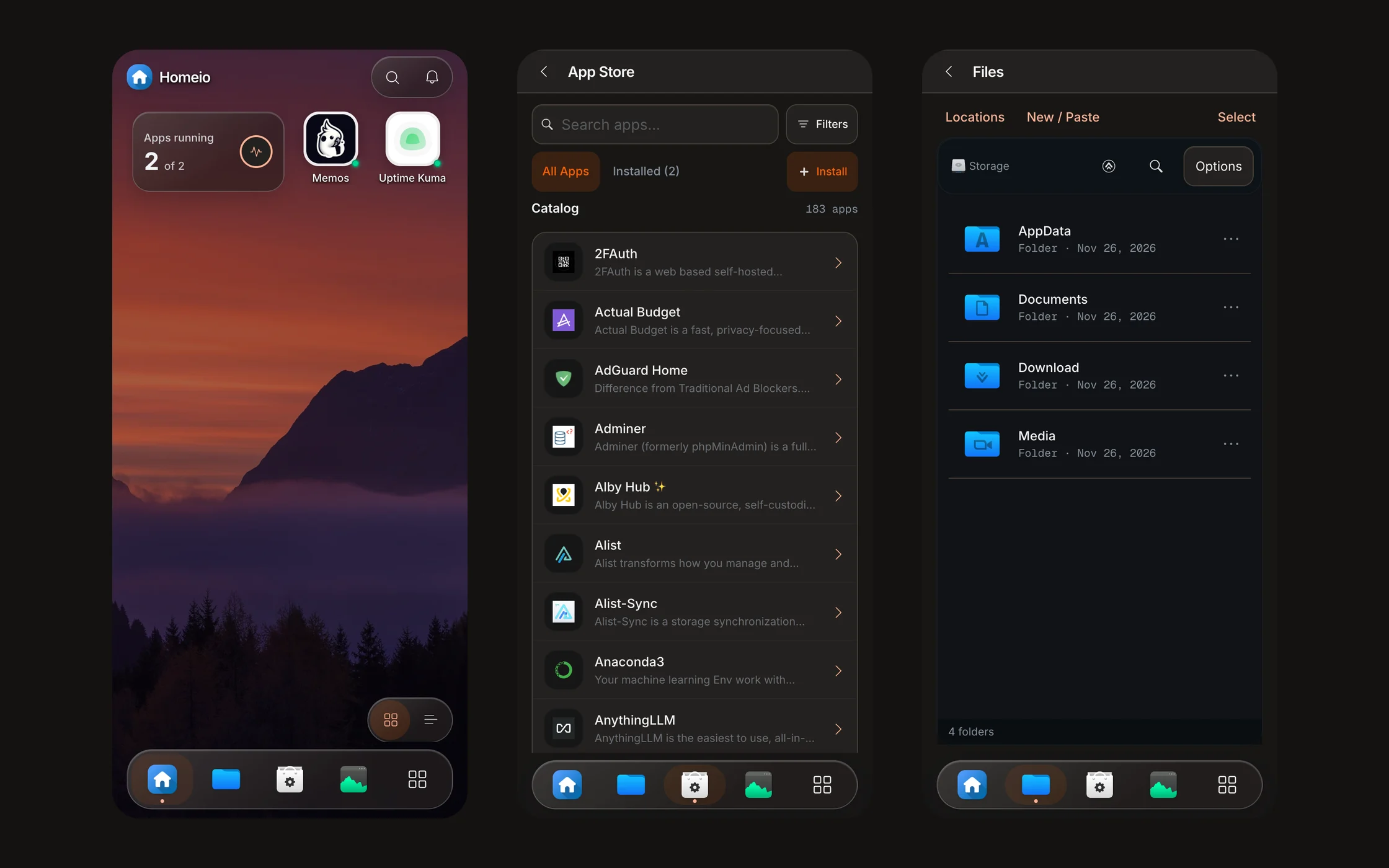
Until now, opening Homeio on a phone meant a shrunken desktop. 1.12 gives it a real mobile workspace: one tool at a time, a Dock at the bottom, and screens made for touch. Add it to your Home Screen and it opens like an app.
The whole release comes from one contributor, @lucasromanomr, who also wrote the Beta update channel, the App Store source filter and a CI fix. Thank you, Lucas.
- Current release
- v1.12.0
- Released
- 2026-11-26
- Licence
- AGPL-3.0
Built for the screen in your pocket.
Check a container, find a file or restart an app from the couch, without reaching for the laptop. The desktop in your browser is unchanged.
One tool at a time
On a phone, Homeio shows one tool full screen, with a toolbar on top and a Dock at the bottom for Home, Files, Store and Monitor. More holds Settings, Disks, Terminal and the session controls. Open tools keep their state when you switch, so a Terminal session is still there when you come back.
Made for touch
Files, the App Store, Monitor, Settings, Notifications, the Terminal and app settings use lists and buttons sized for a finger. Nested screens share a Back button, and in Files you tap Select to work on several items.
On your Home Screen
On iPhone, open your Homeio address in Safari, tap Share, then Add to Home Screen. On Android, use Chrome's install or add-to-home-screen menu. Homeio then opens full screen, like an app. It stays online-first: it needs your server to be reachable.
Try versions early, find apps faster.
Two settings for people who like to stay ahead: pre-releases in Settings → Updates, and a Source filter for the App Store.
A Beta update channel
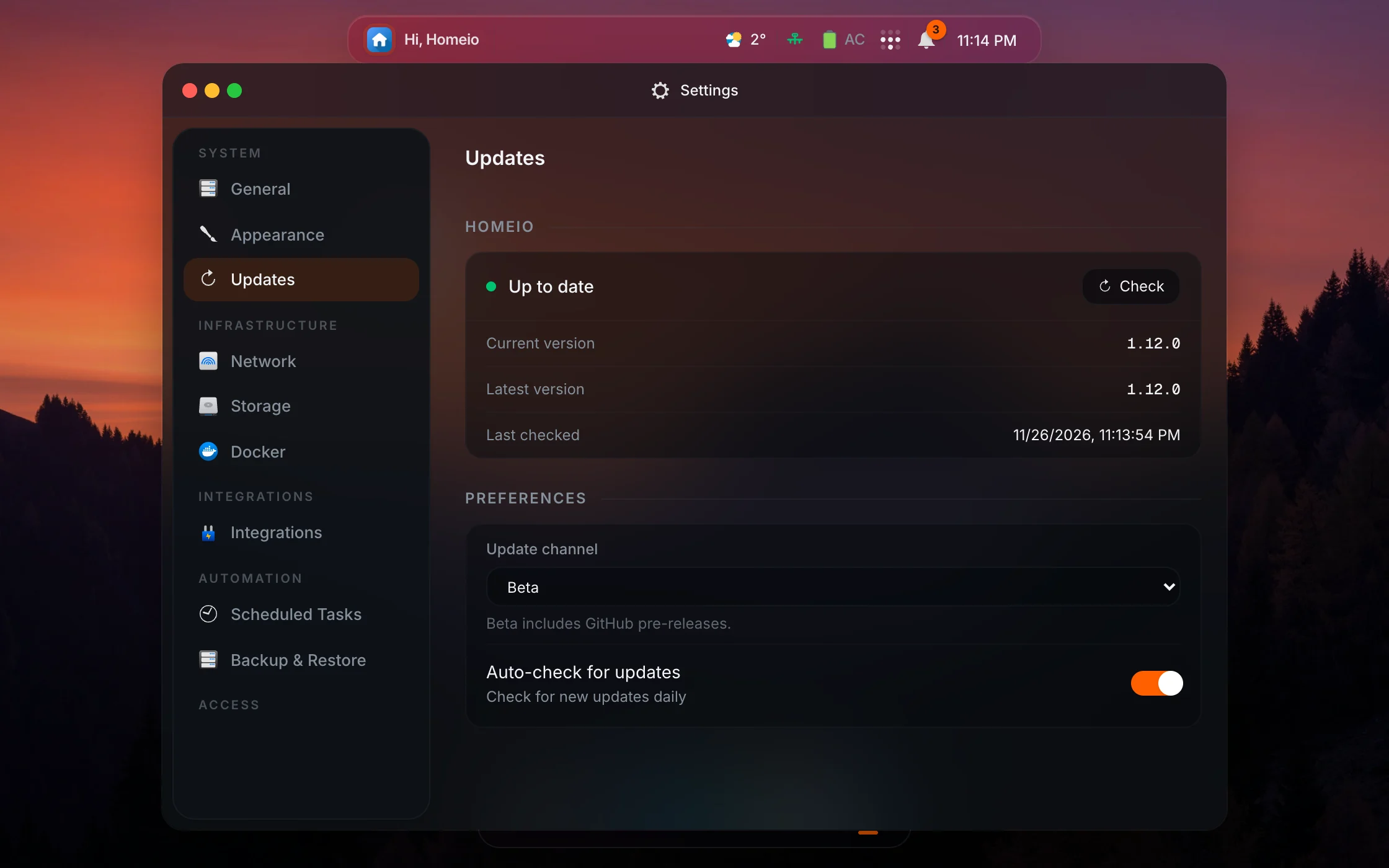
Settings → Updates → Update channel. Stable stays the default. Beta also offers the pre-releases published on GitHub, for those who want to try a version early. It applies to script installs; Docker keeps following its image tag. Homeio never offers a downgrade.
Filter the App Store by source
If you added community catalogs, the new Source filter shows one catalog at a time, together with search, categories and the Installed tab. Results are grouped by source, so a small catalog shows on the first page instead of after the official one.
Installs, the Store and dependencies.
If your install stopped at “Initializing database schema”, run it again: 1.12 fixes it.
Installs that couldn't reach PostgreSQL
On a machine where a PostgreSQL cluster already existed, the new cluster listens on port 5433. The installer still pointed Homeio at 5432, and the install stopped with ECONNREFUSED. It now uses the cluster's real port.
No more duplicates in the Store
A category declared by several catalogs shows once, and an app present in several catalogs always resolves to the same copy: the official catalog first, then the first source you added.
Dependency updates
systeminformation 5.33.16 and zod 4.
How to update.
Update now in Settings → Updates installs 1.12.0. You can also run the command for your install below.
curl -fsSL https://raw.githubusercontent.com/doctor-io/homeio/main/scripts/update.sh | sudo bashdocker compose pull && docker compose up -dQuestions about 1.12.
How do I update to Homeio 1.12?
From the desktop: Settings → Updates → Update now. Script installs can also run the update command on this page. Docker installs: docker compose pull && docker compose up -d. Accounts, apps and settings are kept.
How do I add Homeio to my phone's Home Screen?
On iPhone, open your Homeio address in Safari, tap Share, then Add to Home Screen; on iOS 26 or later, leave Open as Web App on. On Android, use Chrome's install or add-to-home-screen menu. You may have to sign in again in the installed app. A trusted HTTPS address works with the most browsers; a plain http:// LAN address works on supported iOS versions.
Does Homeio on the phone work offline?
No. It's your server's dashboard, so it needs the server to be reachable, at home or through a tunnel. Homeio doesn't cache your pages or data on the phone.
Should I switch to the Beta channel?
Only if you want to try versions before everyone else and report problems. Stable is the default and stays the right choice for a server you depend on. You can switch back at any time; Homeio won't install an older version to do it.
My install stopped with ECONNREFUSED 127.0.0.1:5432. What now?
That's the PostgreSQL port issue fixed in 1.12. Run the install command again: the installer now finds the port your PostgreSQL cluster listens on.
Where can I ask questions about Homeio?
On the Homeio Discord at discord.gg/KFzTbRbex3, for help, app configs and ideas, or in GitHub issues for bugs and feature requests.