
Homeio 1.10: a Monitor worth opening, and open source again
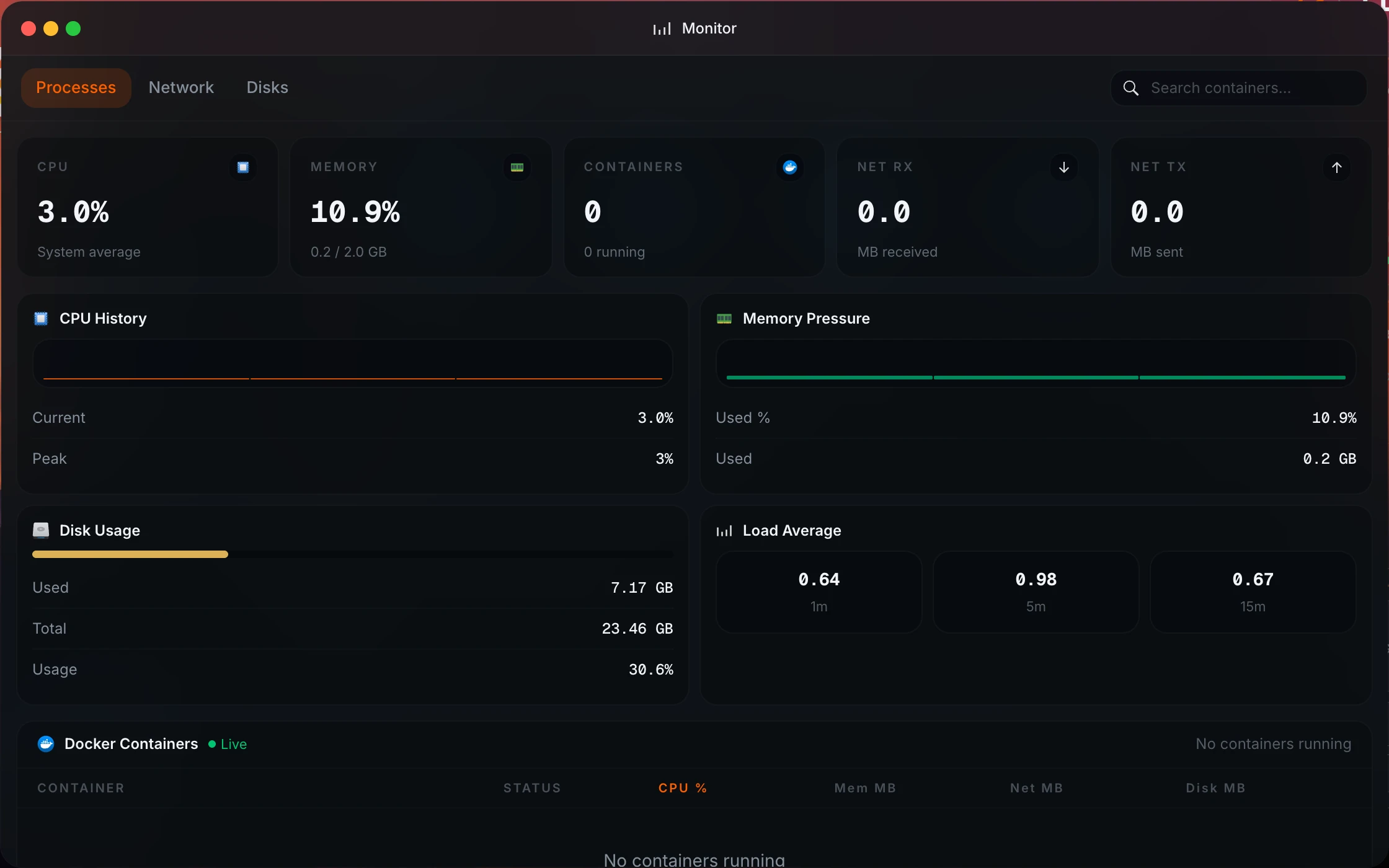
The Monitor used to show what was happening right now and nothing else: open it and the charts started from empty. 1.10 keeps a day of history on the server, adds real Network and Disks tabs, and makes the desktop tell a stopped app from a crashed one. Updates now follow published releases, and Homeio goes back to an open source licence, the AGPL-3.0.
- Current release
- v1.10.0
- Released
- 2026-10-01
- Licence
- AGPL-3.0
What 1.10 adds.
Most of it is about seeing what the server is doing, and saying so plainly when something is wrong.
A Monitor with history
CPU, memory, temperature and network are sampled every 5 seconds in the background, even with the Monitor closed. Opening it shows the last 15 minutes or the last hour at full resolution, or the last 24 hours as one-minute averages, with current, average and peak values and the reading under the pointer.
A Network tab that explains the network
Live download and upload, the default gateway and DNS servers, a throughput chart, and a card per active interface with its addresses, MAC, link speed, DHCP or static address and errors. Interfaces that are down fold into one line each, and Docker bridges are left out.
A Disks tab for watching, not formatting
Disk usage, a read and write chart, and a card per disk with its model, bus, live speed, SMART health, temperature and power-on time when the disk reports them. Partitioning and formatting stay in Settings. The Docker image now lists the host's disks too, read-only.
The real state of every app
Stopped, crashed (with the exit code), restarting, unhealthy, paused and never started used to look alike on the desktop. They are told apart now, for Homeio apps and for containers Homeio did not deploy: running apps keep their colours, apps that are down turn grey, and one glyph marks what needs a look.
An update reminder that follows releases
A bar above the dock says when a new version is out, with Update now, Details and Later. The check reads the release GitHub marks as latest, not the main branch, so you are never offered a version whose Docker image does not exist yet. In Docker, it shows the compose command instead.
No more frozen desktop
When Homeio stops answering (a crash, a restart over SSH, a dropped network) a reconnecting screen says how long it has been away and keeps trying; after 45 seconds it shows the restart command for your install. A reboot or update started on one device now switches every open desktop to the restart screen.
Open source again, under the AGPL-3.0.
1.9.6 moved Homeio to the Business Source License to stop companies reselling it. It did that, but it also made Homeio source-available rather than open source, which kept it out of open source directories and worried contributors.
The AGPL-3.0 is approved by the Open Source Initiative and still rules out a closed commercial fork: anyone who distributes a modified Homeio, or runs one as a service for others, has to publish their changes under the same licence. Using it at home or at work is unrestricted.
Lighter when idle, steadier when busy, harder to misuse.
- System metrics are read from /proc and /sys instead of spawning about 130 commands per snapshot, so an idle server stays idle.
- Load tests with 400 simultaneous users found the bottlenecks: App Store checks, session lookups and nginx connections are shared or reused now, and the random 502 errors under load are gone.
- The log file rotates at 10 MB, and the Logs window reads from the end of the file instead of parsing all of it.
- Every response carries security headers, so another site can no longer embed Homeio in a hidden frame, and nginx stops showing its version.
- On script installs, uploads are checked by Homeio before nginx streams them, so a signed-out cookie or a demo visitor can no longer write files.
- fail2ban starts on Debian 12 and later: it reads the systemd journal, since those releases have no /var/log/auth.log.
- The Cloudflare Tunnel connector is a Homeio component in Settings, not an unknown container on the desktop.
- The latest version is remembered for an hour, so a busy server no longer hits GitHub's rate limit and shows an update error.
How to update.
On a script install, run the command below. It fetches the 1.10 update script, which also applies the new nginx settings, the upload check and the fail2ban fix. Update now in Settings installs 1.10 as well, but runs the update script your server already has, so those system changes wait for the next update.
curl -fsSL https://raw.githubusercontent.com/doctor-io/homeio/main/scripts/update.sh | sudo bashdocker compose pull && docker compose up -dQuestions about 1.10.
How do I update to Homeio 1.10?
Script installs: run the update command on this page. Docker installs: docker compose pull && docker compose up -d. The database is migrated on start; accounts, apps and settings are kept.
Is Homeio free and open source?
Yes. From 1.10.0 Homeio is open source under the AGPL-3.0, with no paid tier. Use at home or at work is unrestricted. If you distribute a modified Homeio, or run one as a service for others, you publish your changes under the same licence. 1.9.6 and 1.9.7 stay under the Business Source License, and 1.9.5 and earlier stay MIT.
Does the Monitor history survive a restart?
It survives page refreshes and closing the Monitor, not a Homeio restart: the history lives in the server's memory. Each chart says since when it has data, and until Homeio has been up for the whole range it spreads what it has across the chart.
What is different in the Docker image?
The Network tab shows the container's network rather than the host's, unless you run it with network_mode: host. Disks are listed read-only: formatting, partitioning and mounting need the script install. The update reminder shows the compose command, since Homeio cannot replace its own image.
I pinned a version with HOMEIO_RELEASE_TAG. What now?
The scripts install with git only from 1.10, and stop with a message if HOMEIO_RELEASE_TAG or HOMEIO_RELEASE_TARBALL_URL is set. Pin a version with HOMEIO_REPO_BRANCH=v1.10.0 instead. Without it, install.sh and update.sh now install the latest release rather than the main branch.