Homeio
TrueNASTrueNASvsHomeio
⌘KAlternative to TrueNAS

The best TrueNAS alternatives, for storage and for apps.

TrueNAS earns its install when the machine's job is storage: ZFS, snapshots, replication, shares with real permissions. Plenty of people install it for the apps and live with a storage OS they barely use. If that is you, Homeio runs the same kind of apps on the Debian or Ubuntu you already have, and manages the host around them.

Homeio
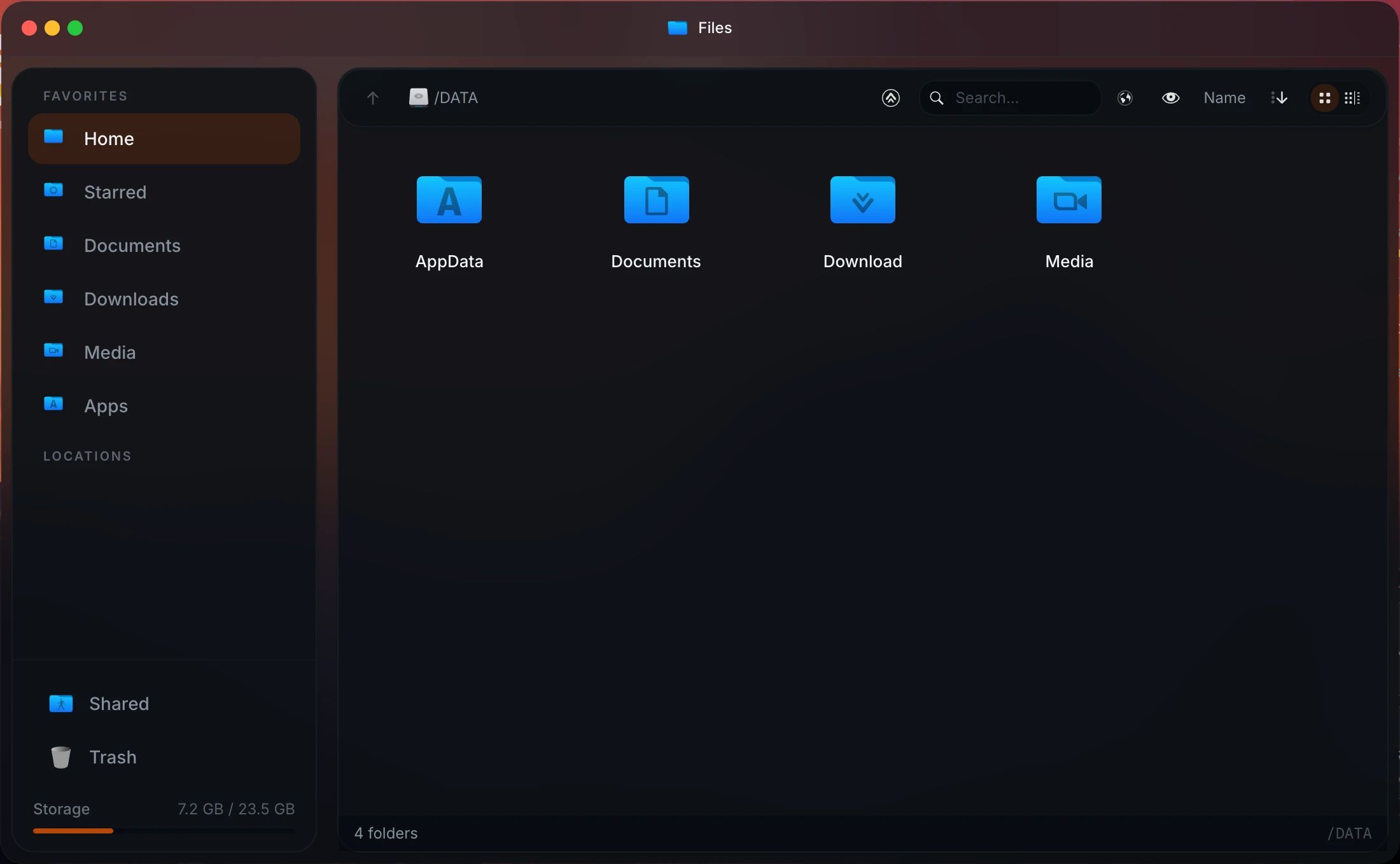
Homeio file manager with local disks, USB drives and network shares
⌘1Alternatives

TrueNAS alternatives, from storage OS to app server.

Most people leave TrueNAS for one of two reasons: it asks for too much hardware, or they mostly used it for apps. The first group wants a lighter NAS; the second wants an app server.

  1. 01

    Homeio

    Open source (AGPL-3.0) · Debian, Ubuntu, Raspberry Pi OS or Docker

    For the people who installed TrueNAS for its apps: an app store, a file manager with Samba shares, disk partitioning, SMART health, scheduled tasks and backups, on a normal Linux. No ZFS management, so pair it with a NAS if your data needs that.

    Best for: Running Docker apps on modest hardware, next to or instead of a NAS.

  2. 02

    OpenMediaVault

    Open source (GPL-3.0) · installs on Debian · x86 and Raspberry Pi

    The lightweight NAS: shares, software RAID, SMART, scheduled jobs and a plugin system, including Docker Compose. It runs comfortably where TrueNAS would not.

    Best for: A free NAS on old hardware or a Pi.

  3. 03

    Unraid

    Paid licence · own OS booted from a USB stick · x86

    Mixes disks of any size in a parity array, which ZFS does not, and has a huge Docker catalog through Community Applications plus virtual machines. Writes are slower than on a striped pool.

    Best for: A growing media library on mismatched drives.

  4. 04

    Proxmox VE

    Open source (AGPL-3.0) · own Debian-based OS · x86

    A hypervisor that also handles ZFS pools. Many homelabs run Proxmox on the metal and put a NAS or an app server in a VM or LXC container on top.

    Best for: One machine split into several servers.

  5. 05

    XigmaNAS

    Open source · FreeBSD · x86

    Grew out of the original FreeNAS code and keeps its spirit: ZFS on FreeBSD, small and conservative. The closest thing to TrueNAS CORE now that CORE has stopped getting features.

    Best for: FreeBSD and ZFS fans leaving TrueNAS CORE.

  6. 06

    ZimaOS

    Free up to 4 disks and 3 users · own OS · x86-64

    A friendlier NAS appliance from the CasaOS team, with RAID, ZFS as an option and an app store. Simpler than TrueNAS, more closed than OpenMediaVault.

    Best for: A simple NAS appliance, especially on Zima hardware.

⌘2Differences

What changes if you switch.

  • 01Installs on Debian, Ubuntu or Raspberry Pi OS. No dedicated disk, no ZFS pool to design first.
  • 02The CasaOS app store by default, plus any compose file or docker run command.
  • 03Partitioning, formatting and mounting from Settings; USB drives in the file manager.
  • 04Cron-scheduled restarts, image pulls, scripts and backups.
  • 05Weekly archives of the database, /DATA and your stacks, restored from the UI.
  • 06Tailscale and Cloudflare Tunnel in Settings, and two-factor login.
⌘3Side by side

Job by job.

NeedIn Homeio
Keep your OS

Installs on the system you have, on x86_64 or ARM64, including a Raspberry Pi.

TrueNAS: a dedicated OS install on x86 hardware.

Run self-hosted apps

Catalog installs with a settings form, compose editing in place, live logs, update checks.

TrueNAS: Docker-based apps since 24.10.

Protect data against disk failure

Not Homeio's job. Use RAID or a second copy on another machine.

TrueNAS: ZFS redundancy, scrubs, snapshots and replication. Its core strength.

Network shares

One-click Samba shares, guest-writable, for a trusted home LAN. Mount SMB shares from other machines.

TrueNAS: SMB and NFS with users, groups and ACLs.

Disk health

Usage, temperatures and a usage alert. SMART support is planned.

TrueNAS: SMART tests and alerts.

Recurring jobs

A cron scheduler for app restarts, image pulls, backups and scripts, with failure notifications.

TrueNAS: cron jobs and scheduled tasks in its UI too.

Reach it from outside

Tailscale for the dashboard, Cloudflare Tunnel to publish single apps on your domain.

Hardware budget

Runs on a Pi or a mini PC next to the apps. No ECC or HBA advice to follow.

TrueNAS: happiest with plenty of RAM and several drives.

⌘4Walkthrough

Keep TrueNAS for storage, run the apps on a small Homeio box.

A common split: the NAS keeps the disks and ZFS, a mini PC or a Pi runs the apps and reads the media over the network.

  1. 01

    On TrueNAS, create a dataset such as tank/media and share it over SMB with a user for the app server.

  2. 02

    On the app server, install Homeio.

    curl -fsSL https://get.homeio.app | sudo bash
  3. 03

    Check that the share is reachable from the app server. Homeio's terminal is a full shell, so you can do this from the browser.

    sudo apt install -y smbclient cifs-utils
    smbclient -L //truenas.local -U media
  4. 04

    Mount the share at boot. Store the user name and password in a file only root can read, then add one line to /etc/fstab.

    sudo mkdir -p /mnt/media
    printf 'username=media
    password=YOUR_PASSWORD
    ' | sudo tee /root/.smb-truenas >/dev/null
    sudo chmod 600 /root/.smb-truenas
    echo '//truenas.local/media /mnt/media cifs credentials=/root/.smb-truenas,uid=1000,gid=1000,iocharset=utf8,_netdev 0 0' | sudo tee -a /etc/fstab
    sudo mount -a && ls /mnt/media
  5. 05

    Install Jellyfin or Immich from Homeio's store and point its media folder at /mnt/media. TrueNAS keeps the snapshots; the app server stays small and replaceable.

⌘?FAQ

Questions people ask before switching.

Is Homeio a TrueNAS alternative?

Only for one kind of machine. TrueNAS Community Edition (formerly SCALE) is an operating system built around ZFS: pools, snapshots, scrubs, replication, and SMB and NFS shares with proper users and ACLs. Homeio has none of that. It is an alternative when the machine's real job is running Jellyfin, Immich, Home Assistant and friends, and TrueNAS was chosen mostly for its apps.

Does Homeio replace the operating system?

No. It installs on Debian, Ubuntu or Raspberry Pi OS. The script install adds Node, PostgreSQL, Nginx and a few systemd units, and creates /DATA; the Docker install adds two containers. Everything else on the machine stays as you set it up.

What storage features does Homeio have?

A disk manager that lists drives and partitions, creates and deletes partitions, formats ext4, XFS, Btrfs, exFAT, NTFS or FAT, and mounts or unmounts them, with the target validated before a wipe. USB drives appear in the file manager as you plug them in. You can share a folder over Samba and mount SMB shares from other machines. No ZFS, no RAID management, no snapshots.

How secure are Homeio's Samba shares?

They are guest-writable: anyone on your network can read and write a shared folder. That is fine on a home LAN you trust and wrong anywhere else. TrueNAS's SMB service, with per-user permissions, is the right tool if you need access control on shares.

How do Homeio's apps compare to TrueNAS apps?

Since 24.10, TrueNAS apps run on Docker too, so the gap is smaller than it was. Homeio's default catalog is the CasaOS app store, and you can paste any compose file or docker run command. The difference is where they live: on TrueNAS, inside a storage OS that owns the machine; on Homeio, on a general-purpose Linux install.

Does Homeio back up my data?

It makes a weekly archive of its database, everything under /DATA and your compose stacks, keeps the last seven by default, and restores from Settings. The archive sits on the same disk, so it is a restore point, not protection against a dead drive. ZFS snapshots and replication are in a different league; Homeio makes no claim to match them.

Does Homeio monitor disk health?

It shows usage and temperatures and raises an alert past a disk-usage threshold you set. It does not read SMART data yet; that is on the roadmap. TrueNAS runs SMART tests and scrubs today.

What is the best free TrueNAS alternative?

For storage, OpenMediaVault: free, open source, on Debian, and light enough for old hardware or a Raspberry Pi. For running apps on the Linux you already have, Homeio. If you want ZFS without TrueNAS, Proxmox VE creates ZFS pools from its interface too, though it is a hypervisor first.

Is there an alternative to TrueNAS SCALE or CORE?

TrueNAS CORE, the FreeBSD edition (FreeNAS until 2020), no longer gets new features: iXsystems develops the Debian-based edition, now called TrueNAS Community Edition. If you want to stay on FreeBSD, XigmaNAS is the closest. If you used SCALE mainly for its apps, a Linux server with Homeio runs the same Docker apps with far less RAM.

Can I use both?

A common split is TrueNAS on the storage box and Homeio on a small app server that mounts TrueNAS shares over SMB from its file manager. Each does its own job.

Is Homeio free?

Yes, it is open source under the AGPL-3.0. TrueNAS Community Edition is free as well; TrueNAS Enterprise is hardware with support contracts.

⌘5Next step

Try it next to what you run now.

The demo needs no install. On a spare machine or a VM, the Docker install takes a few minutes and listens on port 12026, so it does not fight your current setup for port 80.

⌘6Keep reading