Homeio
CasaOSvsHomeio
⌘KAlternative to CasaOS

The best CasaOS alternatives, and how to move your apps.

CasaOS made home servers approachable, but its last release dates from December 2024 and IceWhale now builds ZimaOS. Here are the alternatives worth installing in 2026, what each one is best at, and a step-by-step move to Homeio, which keeps the CasaOS app store and your /DATA/AppData folder.

Homeio
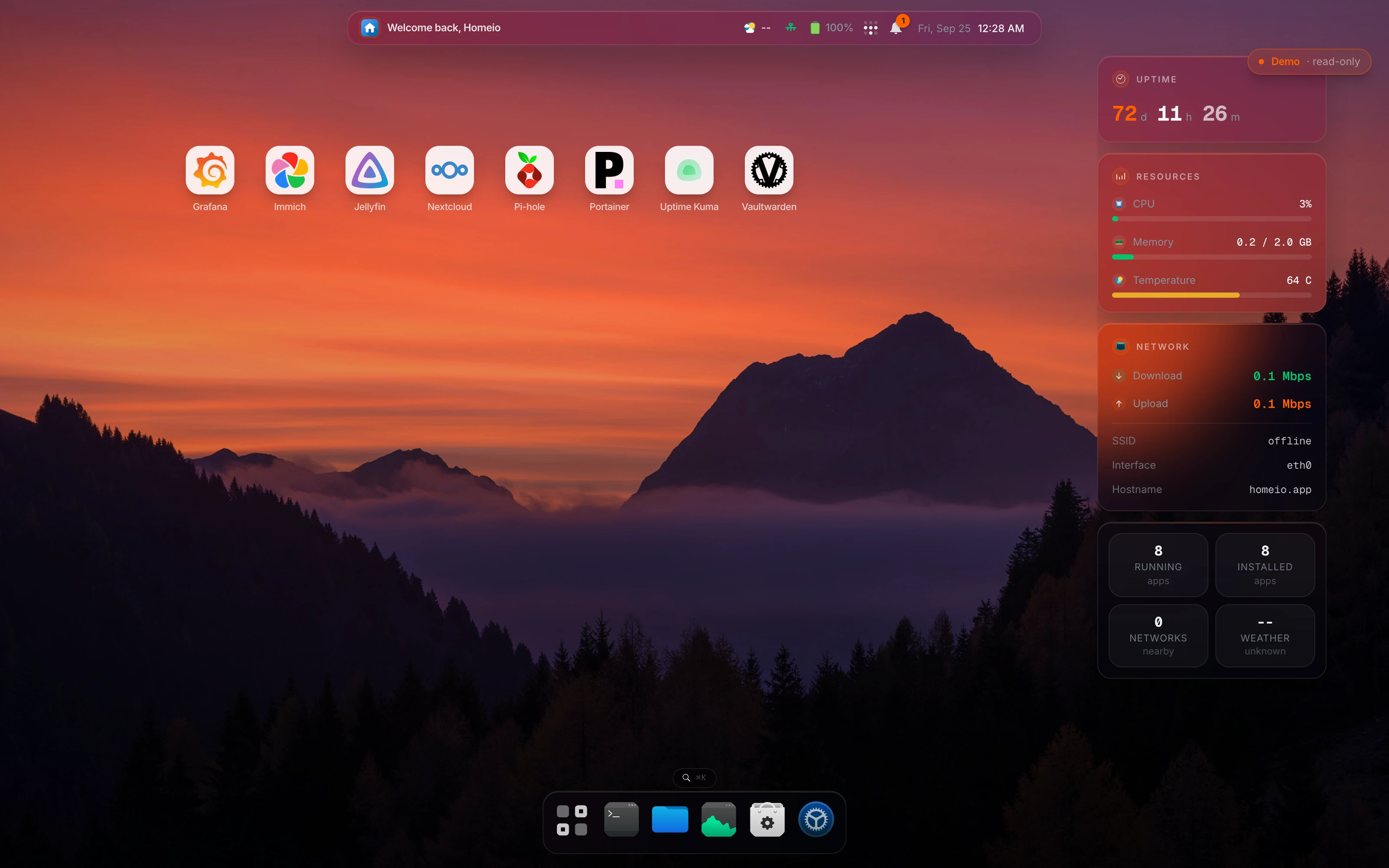
Homeio desktop, which uses the CasaOS app store as its default catalog
⌘1Alternatives

The CasaOS alternatives worth a look in 2026.

They differ mostly in one thing: whether they install on the Linux you already run, or replace it with their own system. Start there, then look at the apps and the maintenance tools.

  1. 01

    Homeio

    Open source (AGPL-3.0) · Debian, Ubuntu, Raspberry Pi OS or Docker

    The closest move from CasaOS: the default catalog is the CasaOS app store and app data stays in /DATA/AppData. It adds what CasaOS never had: scheduled tasks, weekly backups, two-factor login, a full terminal, disk management, and Tailscale or Cloudflare Tunnel in Settings.

    Best for: CasaOS users who want the same apps with real maintenance tools, on x86 or a Pi.

  2. 02

    ZimaOS

    IceWhale, the CasaOS team · full OS image for x86-64 · free up to 4 disks and 3 users

    Where CasaOS's developers went. It is a read-only NAS system with RAID, ZFS and per-user shares, so it replaces your OS rather than sitting on it. Strong on storage, closed to anything it does not ship.

    Best for: A dedicated x86 box full of drives, run as a NAS appliance.

  3. 03

    Runtipi

    Open source (GPL-3.0) · install script on Linux, x86 and ARM

    A lean app store for Docker with a large catalog and one-click installs. It keeps to apps: no file manager, disks or backups of its own, which keeps it light.

    Best for: Running a handful of apps on a Pi with as little overhead as possible.

  4. 04

    umbrelOS

    Source-available · OS image for Umbrel Home, Raspberry Pi 5 and x86

    The most polished app experience of the group, with a strong Bitcoin and Lightning catalog. It owns the disk: flash it and the machine becomes an Umbrel.

    Best for: A machine dedicated to self-hosted apps, or a Bitcoin node.

  5. 05

    Cosmos

    Docker-based · runs on an existing Linux

    Built around a secure gateway: reverse proxy with automatic HTTPS, single sign-on and multi-factor login in front of every app. Less about files and disks, more about exposing apps safely.

    Best for: Publishing several apps to the internet behind one login.

  6. 06

    YunoHost

    Open source (AGPL-3.0) · Debian, on a fresh install

    Integrates apps with each other instead of containerising them: shared accounts, SSO and email for a household or a small group. Apps have to be packaged for YunoHost first.

    Best for: Several people sharing one server, with email.

⌘2Differences

What changes if you switch.

  • 01Same catalog: the default source is IceWhaleTech/CasaOS-AppStore, and you can add other CasaOS-format stores next to it.
  • 02Same layout: /DATA/AppData, /DATA/Media and friends, so reinstalled apps find their old data.
  • 03A cron scheduler for app restarts, image pulls, backups and scripts, with a notification when a run fails.
  • 04Weekly backup of the database, /DATA and your compose stacks, restorable from Settings.
  • 05Two-factor login with TOTP and single-use backup codes.
  • 06Tailscale and Cloudflare Tunnel as settings. Publishing an app creates its DNS record and ingress rule for you.
  • 07The containers CasaOS started stay visible on the desktop while you move them over.
⌘3Side by side

Job by job.

NeedIn Homeio
Install the apps you had

The default store is the CasaOS app store, so Jellyfin, Immich, Nextcloud and the rest are listed exactly as before. Reinstall each one and point it at its existing /DATA/AppData folder.

CasaOS: same catalog. Homeio does not adopt the running containers; it lists them read-only.

Run both during the move

Use the Docker install on port 12026, or set HOMEIO_PUBLIC_PORT for the script install. Uninstall CasaOS once everything runs in Homeio.

CasaOS's gateway holds port 80, which is install.sh's default.

Recurring maintenance

Scheduled tasks on a cron expression: restart an app, pull images, run a backup or a script. Failures raise a notification.

CasaOS: no scheduler. You write host crontab entries over SSH.

Get back to yesterday

Weekly archives of the database, /DATA and the compose stacks, seven kept by default, restored from Settings. Copy them off the box for real disaster recovery.

CasaOS: no built-in backup.

Reach it from outside

Tailscale for the dashboard, Cloudflare Tunnel for apps you share. Both are configured in Settings → Integrations.

CasaOS: install the Tailscale or cloudflared app and configure it yourself.

A login you can expose

TOTP two-factor with backup codes, sign-in rate limits per account and per address, and registration closed after the first account.

Disks and USB drives

Partition, format (ext4, XFS, Btrfs, exFAT, NTFS, FAT) and mount disks from Settings. USB drives show up live in the file manager; mount and eject with a click.

CasaOS mounts USB drives and has a storage manager too. The difference here is small.

Several people on one server

Not yet. Homeio has one account and no roles. Multi-user with roles is planned for 2.0.

⌘4Walkthrough

Move from CasaOS to Homeio without losing app data.

Run both on the same machine for a while, move one app at a time, and only remove CasaOS at the end. On a Pi with a few apps this takes an evening.

  1. 01

    List what CasaOS runs today, with the image and the ports each app uses. Keep this list: it is your checklist.

    docker ps --format "table {{.Names}}	{{.Image}}	{{.Ports}}"
  2. 02

    Back up the app data before touching anything. CasaOS keeps it in /DATA/AppData; put the archive on another disk if you have one.

    sudo tar czf /root/appdata-$(date +%F).tar.gz -C /DATA AppData
  3. 03

    Install Homeio next to CasaOS. CasaOS already holds port 80, so give Homeio another one.

    curl -fsSL https://get.homeio.app | sudo HOMEIO_PUBLIC_PORT=8080 bash
  4. 04

    For each app: stop it in CasaOS, then install it from Homeio's store (it is the same CasaOS catalog) with its data folder pointing at the same /DATA/AppData path. It starts with its old data. Check it, then move to the next one.

    docker stop jellyfin
  5. 05

    When everything runs from Homeio, remove CasaOS.

    sudo casaos-uninstall
  6. 06

    Port 80 is free now. Run Homeio's update script once without HOMEIO_PUBLIC_PORT and it moves back to port 80, so you can open it at http://your-server-ip again.

    curl -fsSL https://raw.githubusercontent.com/doctor-io/homeio/main/scripts/update.sh | sudo bash
⌘?FAQ

Questions people ask before switching.

Will my CasaOS apps work in Homeio?

The catalog will: Homeio's default app source is the official CasaOS-AppStore repository, and it reads the same x-casaos compose metadata, so the apps you know are listed the same way. Your running containers are a different matter. Homeio lists them on the desktop since 1.9.1, muted and read-only, but it does not adopt them. To manage an app from Homeio, reinstall it from the store and point it at the same /DATA/AppData folder.

Can I install Homeio on the same machine as CasaOS?

Yes, but not on port 80. CasaOS's gateway already listens there, and install.sh puts Homeio behind Nginx on :80 by default. Either set a different port with sudo HOMEIO_PUBLIC_PORT=8080 bash when you pipe the install script, or use the Docker install, which listens on 12026. Run both side by side until you have moved what you need, then uninstall CasaOS.

Where does Homeio keep app data?

In /DATA/AppData, the same place CasaOS does, with Documents, Media and Download next to it under /DATA. That is deliberate: an app reinstalled from the store finds the data the CasaOS copy left behind.

What does Homeio have that CasaOS does not?

A task scheduler, backup and restore, two-factor login, and Tailscale and Cloudflare Tunnel as settings rather than apps you install and wire up yourself. It also has a disk and partition manager and a Monaco editor in the file manager. CasaOS covers the app store, files, SMB sharing and USB drives well; Homeio does those too.

What is the best CasaOS alternative for a Raspberry Pi?

On a Raspberry Pi 4 or 5 with Raspberry Pi OS, Homeio and Runtipi both install with one script and keep the OS you already have. umbrelOS has an image for the Pi 5 if you are happy to give it the whole card. ZimaOS does not run on a Pi: it needs an x86-64 machine with UEFI.

Is CasaOS still maintained?

Its most recent release is v0.4.15, from December 2024, and IceWhale's new work goes into ZimaOS. The app store repository is still updated, which is part of why Homeio uses it. Check the CasaOS GitHub releases yourself before deciding; this answer will age.

What does the scheduler actually do?

It runs a task on a cron expression: an allowlisted shell command, a script (two-minute limit), an app restart, a backup, or a pull of every stack's images. A failed run raises a notification. Note that the image pull only downloads the new images; the app restarts on the new version when you update or redeploy it.

How do backups work?

Settings → Backup & Restore runs a weekly archive on the day you pick and keeps the last seven by default. It holds the database, everything under /DATA and your compose stacks, and it restores from the same screen. The archive lives on the same disk, so it protects you from a bad update, not a dead drive. Copy it somewhere else.

Is it a bigger install than CasaOS?

Yes. CasaOS is a set of Go services. Homeio is a Next.js app with PostgreSQL, plus a small Go service for uploads. On a Pi 4 or an N100 that is fine; on a 1 GB board it is tight. The Docker image caps Node's heap at 768 MB and the container at 1 GB.

What will I miss coming from CasaOS?

The apps you run today have to be reinstalled from the store before Homeio can manage them. Containers you leave running still show on the desktop, and you can give them a name, an icon and a dashboard link.

What are the best CasaOS apps, and do they run elsewhere?

The usual first installs are Jellyfin or Plex for media, Immich for photos, Nextcloud for files, Home Assistant, Vaultwarden for passwords, AdGuard Home and Uptime Kuma. They are all plain Docker images, so they run under any of the alternatives above. Homeio lists them from the same CasaOS store; our guide to the best self-hosted apps covers what each one is good for.

How do I install Homeio?

On Debian, Ubuntu or Raspberry Pi OS: curl -fsSL https://get.homeio.app | sudo bash, which serves the UI on port 80. Or clone the repository and run docker compose up -d, which serves it on 12026. The first account you create is the only one; registration closes behind it.

⌘5Next step

Try it next to what you run now.

The demo needs no install. On a spare machine or a VM, the Docker install takes a few minutes and listens on port 12026, so it does not fight your current setup for port 80.

⌘6Keep reading