Homeio
ZimaOSvsHomeio
⌘KAlternative to ZimaOS

The best ZimaOS alternatives, for a NAS or for Linux you keep.

ZimaOS replaces your operating system with a managed, read-only NAS system. That is a fair trade on a dedicated x86 box full of drives, and a frustrating one the day you need a package it does not ship or want to run it on a Raspberry Pi. Homeio installs on Debian, Ubuntu or Raspberry Pi OS and leaves the system under it alone.

Homeio
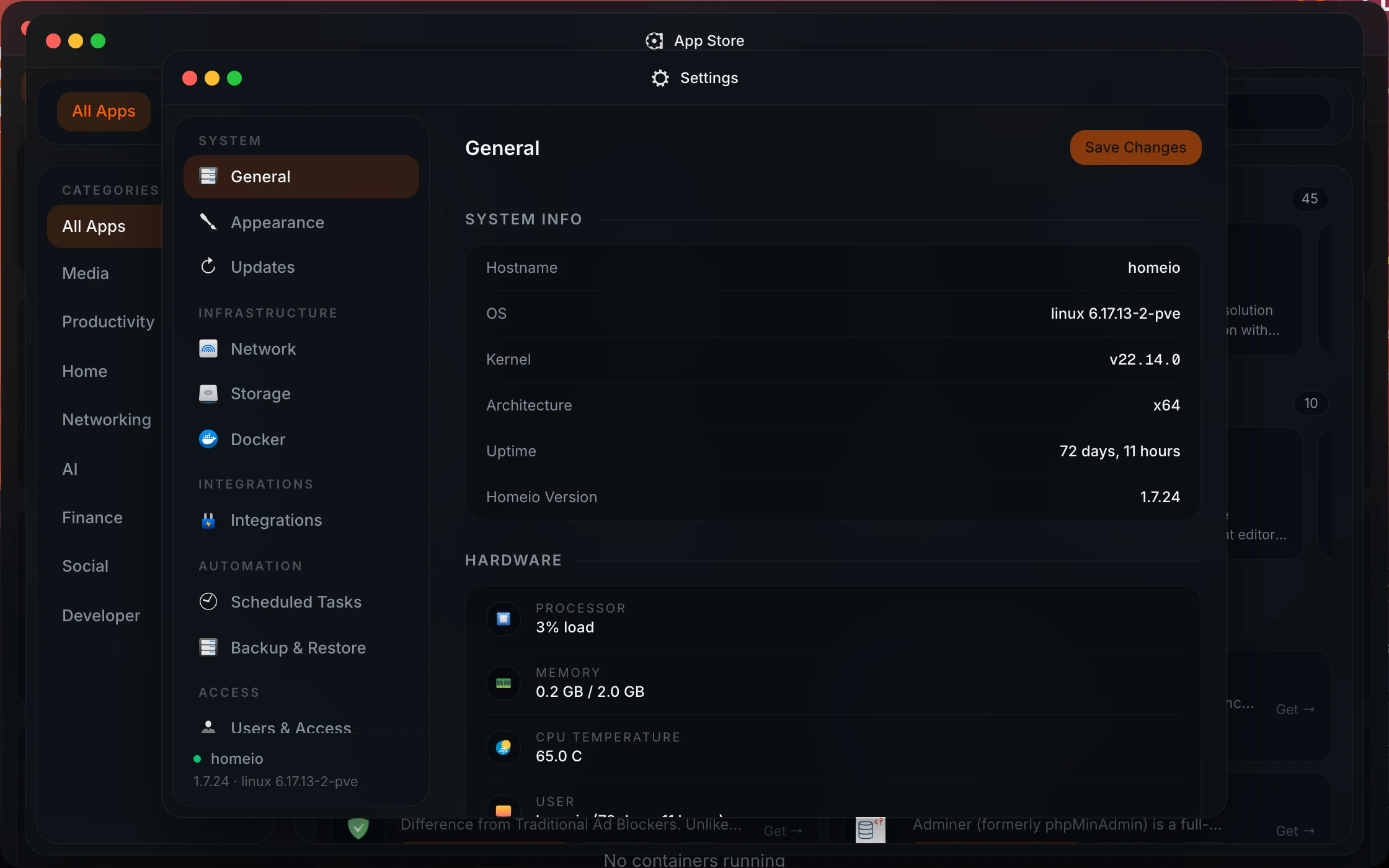
Homeio settings and network controls as an alternative to ZimaOS
⌘1Alternatives

ZimaOS alternatives, by what you want the box to be.

If the machine is a NAS first, look at Unraid, TrueNAS and OpenMediaVault. If it is an app server that also holds your files, look at the dashboards that run on a normal Linux.

  1. 01

    Homeio

    Open source (AGPL-3.0) · Debian, Ubuntu, Raspberry Pi OS or Docker

    The ZimaOS feel on a normal Linux: a desktop in the browser with an app store (the CasaOS catalog), files, Samba shares, disks, a full terminal, scheduled tasks and backups. No disk or user limits, no paid tier, and it runs on ARM boards ZimaOS does not support.

    Best for: Keeping Ubuntu or Debian underneath, or running on a Raspberry Pi.

  2. 02

    Unraid

    Paid licence · own OS booted from a USB stick · x86

    The home NAS favourite: a parity array that mixes disks of different sizes, Docker apps from Community Applications, and virtual machines. You pay once per server, by number of drives or for life.

    Best for: A media server full of mismatched drives, plus a VM or two.

  3. 03

    TrueNAS Community Edition

    Open source · own Debian-based OS · x86

    ZFS done properly: pools, snapshots, replication and shares with real permissions, with Docker-based apps on top since 24.10. It wants a dedicated machine and plenty of RAM.

    Best for: Data you cannot lose, on ZFS.

  4. 04

    OpenMediaVault

    Open source (GPL-3.0) · installs on Debian · x86 and Raspberry Pi

    A classic NAS interface on top of Debian: shares, RAID, SMART, and plugins, including one for Docker Compose. Plainer than ZimaOS, but it keeps a normal Debian underneath.

    Best for: A lightweight NAS on old hardware or a Pi.

  5. 05

    CasaOS

    Open source (Apache-2.0) · Debian, Ubuntu, Raspberry Pi OS

    ZimaOS's predecessor, from the same team, as a layer on your own Linux instead of a full OS. Simple and familiar, but its last release dates from December 2024.

    Best for: A quick, familiar setup if you accept a project that has slowed down.

  6. 06

    umbrelOS

    Source-available · OS image for Umbrel Home, Raspberry Pi 5 and x86

    A polished app-first OS with a strong catalog. Like ZimaOS it takes the whole machine, with less focus on storage.

    Best for: An appliance for apps, on a Pi 5 or Umbrel Home.

⌘2Differences

What changes if you switch.

  • 01Installs on the Linux you already run instead of replacing it; apt, SSH and your own services keep working.
  • 02Runs on ARM64 as well as x86_64, including a Raspberry Pi 4 or 5. ZimaOS is x86-64 only.
  • 03No disk or user caps and no paid tier. ZimaOS's free edition stops at 4 disks and 3 users.
  • 04The official CasaOS app store and the same /DATA/AppData layout, so CasaOS-format apps install as you know them.
  • 05A cron scheduler for commands, scripts, app restarts, image pulls and backups.
  • 06Cloudflare Tunnel to publish an app on your own domain, next to Tailscale for yourself.
  • 07AGPL-3.0 open source: read it, change it, fork it.
⌘3Side by side

Job by job.

NeedIn Homeio
Hardware

Any 64-bit machine running Debian, Ubuntu or Raspberry Pi OS, x86_64 or ARM64.

ZimaOS: x86-64 machines with UEFI, Zima hardware or not.

The system underneath

Your normal Linux, with apt, SSH, cron and anything else you run.

ZimaOS is read-only and managed; SSH and a web terminal sit behind Developer Mode.

Drive redundancy

No RAID manager. Partition, format and mount disks; use mdadm or ZFS yourself if you need redundancy.

ZimaOS: RAID 0, 1, 5 and 6, with ZFS as an option. ZimaOS is ahead.

Accounts

One account with TOTP two-factor. Multi-user with roles is planned for 2.0.

ZimaOS: several accounts with per-user Samba permissions, 3 on the free edition.

Sharing folders

Share folders over Samba and mount SMB shares from other machines.

ZimaOS: SMB with a GUI, NFS and iSCSI from the command line.

Backups

A weekly archive of the database, /DATA and your stacks, seven kept, on the same disk. Copy it off.

ZimaOS runs backup jobs from cloud, USB, network or internal sources to one or two destinations.

Remote access

Tailscale for you; Cloudflare Tunnel for an app you share on your own domain.

ZimaOS: ZimaClient, an encrypted peer-to-peer connection.

Recurring jobs

Cron-scheduled app restarts, image pulls, backups and scripts, with a notification on failure.

Cost

Free, AGPL-3.0, no limits.

ZimaOS: free up to 4 disks and 3 users; Plus is a one-time $29 per device.

⌘4Walkthrough

Replace ZimaOS with Ubuntu Server and Homeio.

The move is a fresh install, so the order matters: data first, system second, apps last. Here is the sequence on a typical x86 box.

  1. 01

    Copy your files and app data to another disk or to another machine before anything else, for example over SMB from your laptop. If the data sits on a ZimaOS RAID array, check that you can read it outside ZimaOS first.

  2. 02

    Install Ubuntu Server 24.04 LTS (or Debian 12) on the system disk, then bring it up to date.

    sudo apt update && sudo apt full-upgrade -y
  3. 03

    Install Homeio. It sets up Docker, PostgreSQL and Nginx, and serves the interface on port 80.

    curl -fsSL https://get.homeio.app | sudo bash
  4. 04

    Reinstall your apps from the store, or paste a compose file as a custom app. App data lives under /DATA/AppData, so copy your saved data there before you start each app.

    Custom app: composeyaml
    services:
      jellyfin:
        image: jellyfin/jellyfin:latest
        ports:
          - "8096:8096"
        volumes:
          - /DATA/AppData/jellyfin/config:/config
          - /DATA/Media:/media
        restart: unless-stopped
  5. 05

    Mount your data disks and share folders over SMB from the Files window, then turn on the weekly backup in Settings so the next move is easier.

⌘?FAQ

Questions people ask before switching.

Is Homeio an alternative to ZimaOS?

For some setups. ZimaOS is IceWhale's NAS operating system, the successor to CasaOS's direction: it replaces the OS on an x86-64 machine and keeps the system read-only and managed. Homeio installs on a normal Debian, Ubuntu or Raspberry Pi OS system and leaves that system yours. If you want RAID and family accounts on a dedicated NAS, ZimaOS is the better fit; if you want to keep your Linux and manage apps, files and disks on it, Homeio is.

What does ZimaOS do better?

Storage and people. ZimaOS sets up RAID 0, 1, 5 and 6 from the interface, with ZFS as an option, gives each family member an account with their own Samba permissions, runs backup jobs to one or two destinations, connects Google Drive, Dropbox and OneDrive, and offers peer-to-peer remote access through ZimaClient. Homeio has no RAID manager and one account.

What does Homeio do that ZimaOS does not?

It runs on hardware ZimaOS does not support, including the Raspberry Pi and other ARM64 boards, and it leaves the operating system open: apt, SSH, cron and your own services keep working. It also has a cron scheduler for commands, scripts, app restarts, image pulls and backups, Cloudflare Tunnel for publishing an app on your own domain, and no disk or user limits because there is no paid tier.

ZimaOS or Ubuntu Server: which should I run?

ZimaOS is an appliance: one image, updated as a whole, with a NAS interface on top and the system read-only underneath. Ubuntu Server is a general-purpose Linux you manage yourself, with apt, SSH and anything you want to install. If you like the ZimaOS interface but want Ubuntu's freedom, install Ubuntu Server and put a dashboard such as Homeio on top: you get the app store, files and disks in the browser and keep a normal OS.

Can I use Docker Compose with ZimaOS?

ZimaOS installs apps from its store and accepts custom apps, but the system is read-only and the shell sits behind Developer Mode, so a command-line Compose workflow is awkward. On Homeio you paste any compose file into a custom app, or run docker compose from its terminal, because the host is a normal Debian or Ubuntu.

What are the best apps for ZimaOS, and can I keep them?

Jellyfin, Immich, Nextcloud, Home Assistant, Vaultwarden and AdGuard Home are the usual picks. They are standard Docker images, and ZimaOS's store comes from the CasaOS format that Homeio also reads, so the same apps are a click away after a move.

Is ZimaOS free?

The free edition covers the core features for up to 4 disks and 3 users. ZimaOS Plus lifts both limits for a one-time $29, bound to one device, and is included with IceWhale's ZimaBoard, ZimaBlade and ZimaCube. Homeio is open source under the AGPL-3.0, with no paid tier and no limits.

Does Homeio lock down the underlying system?

No. Homeio installs on Debian, Ubuntu or Raspberry Pi OS as systemd services behind Nginx, or as containers with Docker Compose. The operating system stays yours. The flip side is that updates to the OS are your job, where ZimaOS updates the whole system as one image.

Can I use my CasaOS apps with Homeio?

Yes. Homeio's default catalogue is the official CasaOS app store, it reads the same x-casaos Compose metadata, and it keeps app data in /DATA/AppData like CasaOS. You can add other CasaOS-format stores from a ZIP URL, or paste any Compose file.

Can I move from ZimaOS to Homeio?

Yes, with a fresh install, since Homeio needs a normal Linux underneath. Copy your app data and files to another disk, install Debian or Ubuntu and then Homeio, reinstall your apps from the store or as custom Compose apps pointing at the copied data, and copy your files back. If the data sits on a ZimaOS RAID array, make sure you can read it outside ZimaOS before you wipe anything.

Should I choose Homeio or ZimaOS?

Choose ZimaOS for a dedicated x86 NAS with several drives, especially on Zima hardware, or when several people need their own accounts. Choose Homeio for a Raspberry Pi, for a machine that already runs Linux and other services, or when you want scheduled tasks, Cloudflare Tunnel and an open-source licence without limits.

How do I install Homeio?

curl -fsSL https://get.homeio.app | sudo bash on Debian, Ubuntu or Raspberry Pi OS, which serves the UI on port 80, or docker compose up -d from a clone of the repository, which serves it on 12026. The first account you create is the only one.

⌘5Next step

Try it next to what you run now.

The demo needs no install. On a spare machine or a VM, the Docker install takes a few minutes and listens on port 12026, so it does not fight your current setup for port 80.

⌘6Keep reading