Homeio
UmbrelUmbrelvsHomeio
⌘KAlternative to Umbrel

The best umbrelOS alternatives, with or without the whole machine.

umbrelOS is a polished appliance: flash it, and it owns the disk. That is a good trade on dedicated hardware and an awkward one on a box that already runs Linux. Homeio installs on Debian, Ubuntu or Raspberry Pi OS, uses plain Compose apps, and manages the host as well as the apps.

Homeio
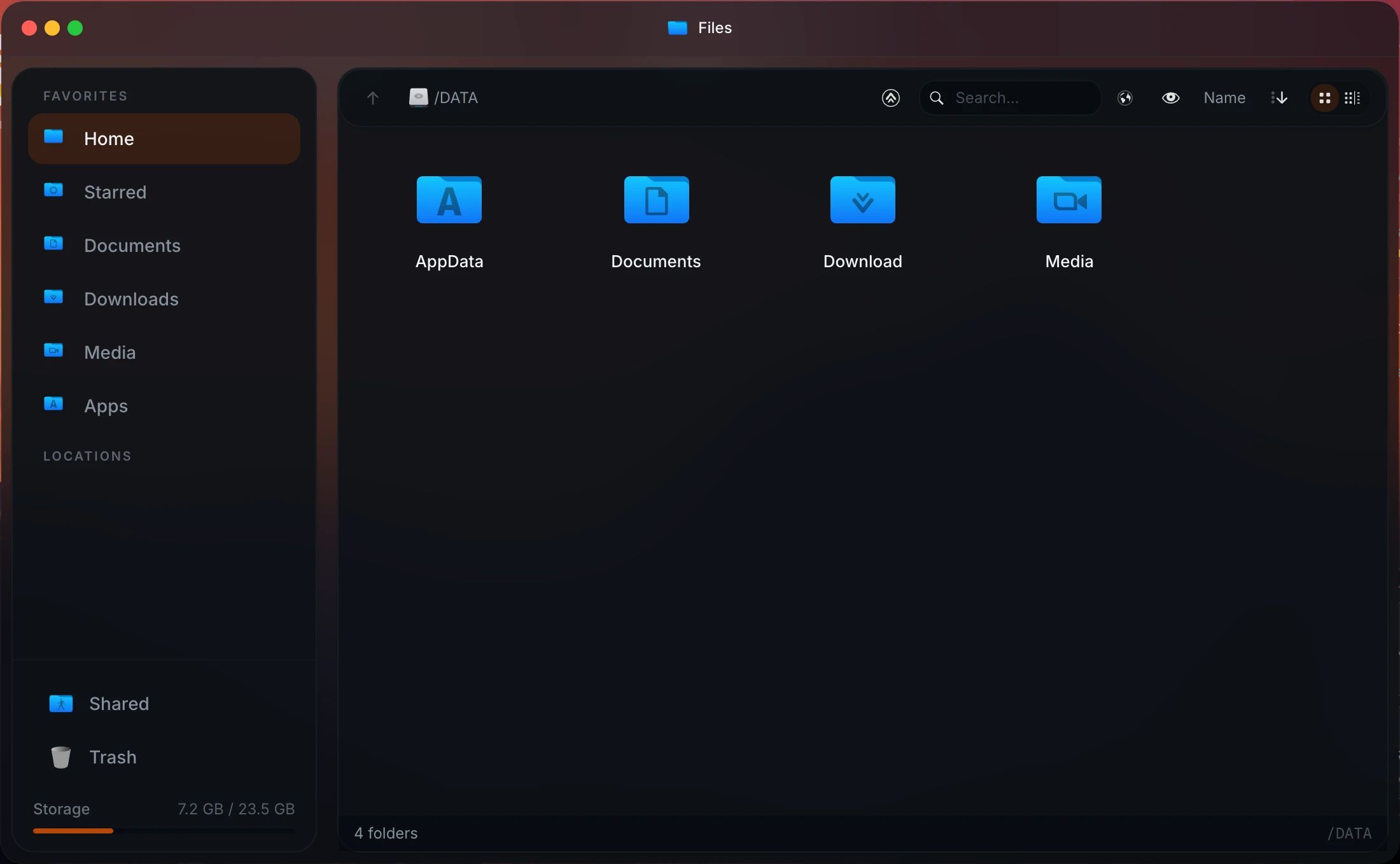
Homeio file manager, running on an existing Linux install
⌘1Alternatives

umbrelOS alternatives worth installing.

umbrelOS is an appliance: polished, but it takes the disk. The alternatives split between other appliances and tools that sit on a Linux you keep.

  1. 01

    Homeio

    Open source (AGPL-3.0) · Debian, Ubuntu, Raspberry Pi OS or Docker

    Umbrel's idea of a home server in the browser, on the Linux you already run: an app store, files, Samba shares, disks, Wi-Fi, a full terminal, scheduled tasks and backups. Apps are plain compose files you can edit.

    Best for: A Pi or mini PC that should stay a normal Linux machine.

  2. 02

    Runtipi

    Open source (GPL-3.0) · install script on Linux, x86 and ARM

    The closest in spirit to Umbrel's app store, with one-click installs and a large catalog, but as a layer on your Linux instead of an OS. It stays focused on apps.

    Best for: A light app store with little else around it.

  3. 03

    CasaOS

    Open source (Apache-2.0) · Debian, Ubuntu, Raspberry Pi OS

    Friendly and quick to set up on a Pi, with a big community app store. Development has slowed: its last release is from December 2024.

    Best for: A first home server, if you accept a slower-moving project.

  4. 04

    ZimaOS

    Free up to 4 disks and 3 users · own OS · x86-64

    Another appliance, with more storage tools than umbrelOS: RAID, ZFS as an option and per-user shares. No Raspberry Pi support.

    Best for: An x86 NAS with apps on top.

  5. 05

    Start9 StartOS

    Open source · own OS · x86 and ARM

    If Umbrel brought you for Bitcoin, StartOS is the other sovereignty-first appliance, with a strong focus on node software and privacy.

    Best for: A Bitcoin or Lightning node, without Umbrel.

  6. 06

    Cosmos

    Docker-based · runs on an existing Linux

    An app store wrapped in a security gateway: reverse proxy, HTTPS, single sign-on and multi-factor login in front of every app.

    Best for: Exposing several apps to the internet safely.

⌘2Differences

What changes if you switch.

  • 01Installs on the Linux you already run, instead of replacing it.
  • 02Plain Compose apps. Paste a compose file or a docker run command to add one that is not in the catalog.
  • 03Disks, Samba shares, USB drives and Wi-Fi managed from the same desktop as the apps.
  • 04Scheduled tasks and weekly backups of the database, your files and your stacks.
  • 05Tailscale for the dashboard, Cloudflare Tunnel for apps you share, both in Settings.
  • 06AGPL-3.0 open source, with one anonymous startup ping you can switch off.
⌘3Side by side

Job by job.

NeedIn Homeio
Keep the OS you have

Runs on Debian, Ubuntu or Raspberry Pi OS, x86_64 or ARM64. apt, SSH and your other services stay where they are.

umbrelOS: a full OS image for Umbrel Home, Raspberry Pi 5 or x86.

Apps you can take elsewhere

Each app is a compose file you can open in the built-in editor and run on any Docker host.

Umbrel apps depend on umbrelOS's app proxy and manifest.

Add something not in the store

Paste a compose file, or a docker run command that Homeio converts to Compose. Add other CasaOS-format catalogs as extra store sources.

Umbrel supports community app stores in its own format.

Manage the machine

Partition, format and mount disks; share folders over Samba; mount SMB shares; switch Wi-Fi networks. All without SSH.

umbrelOS 2.0 manages its own drives, shares and network settings, but the OS is closed to anything it did not install.

Recurring jobs

Cron-scheduled app restarts, image pulls, backups and scripts. A failed run raises a notification.

Share one app with family

Publish it through Cloudflare Tunnel on your own domain. Homeio writes the DNS record and the ingress rule.

Polish and hardware

Homeio is a younger project, and it sells no hardware.

Umbrel is ahead here, and Umbrel Home is a well-made box.

Bitcoin and Lightning

The default catalog has no Bitcoin or Lightning apps. You would bring your own compose files.

Umbrel's strongest category. Pick Umbrel for a node.

⌘4Walkthrough

Set up an Umbrel-style server on a Raspberry Pi 5, keeping Raspberry Pi OS.

Same hardware Umbrel supports, but the system stays yours. About twenty minutes from a blank card to the first app.

  1. 01

    Flash Raspberry Pi OS Lite (64-bit) with Raspberry Pi Imager, set a user and turn on SSH in its settings, then log in and update.

    sudo apt update && sudo apt full-upgrade -y
  2. 02

    Install Homeio. It brings Docker, PostgreSQL and Nginx, and serves the desktop on port 80.

    curl -fsSL https://get.homeio.app | sudo bash
  3. 03

    Open http://raspberrypi.local (or the Pi's IP) and create your account. Install your first apps from the store; Immich, Jellyfin and Home Assistant are common starts.

  4. 04

    Turn on Tailscale in Settings to reach the server from your phone without opening ports, and the weekly backup so an SD card failure is not a disaster.

⌘?FAQ

Questions people ask before switching.

What is the main difference between Homeio and Umbrel?

umbrelOS is an operating system. You flash it to an Umbrel Home, a Raspberry Pi 5 or an x86 machine, and it owns the disk. Homeio is an application that installs on the Debian, Ubuntu or Raspberry Pi OS you already run, so the box can keep doing other jobs and you keep apt, SSH and your own services.

Are Umbrel apps just Docker Compose?

Underneath, yes, but they are written for umbrelOS: they rely on its app proxy, its environment variables and an umbrel-app.yml manifest, so you cannot take one to a plain Docker host as it is. Homeio's apps are ordinary compose files from the CasaOS app store format, and you can paste your own compose file or a docker run command to add an app that is not in the catalog.

What can I use instead of an Umbrel Home or Umbrel Pro box?

Any small x86 mini PC (an Intel N100 with 16 GB of RAM is the usual pick) or a Raspberry Pi 5 with an NVMe drive. Install Debian or Ubuntu, then Homeio or Runtipi for the app store, or flash umbrelOS itself on that hardware if you only want the software. You keep the hardware choice and can repurpose the box later.

Can I run Umbrel apps with Docker Compose?

Not as they are. They are compose files underneath, but they rely on umbrelOS's app proxy, its environment variables and an umbrel-app.yml manifest. The apps themselves (Nextcloud, Immich, Jellyfin and the rest) publish normal Docker images, so on another host you install them from that host's store or from the project's own compose file.

When is Umbrel the better choice?

If you want an appliance you never have to think about, especially on Umbrel Home hardware, or if you are running a Bitcoin or Lightning node, where Umbrel's catalog is far deeper. Its interface is also more polished than Homeio's. Homeio is the better fit if the machine already runs Linux you want to keep, or you want the host itself managed from the same place.

Which is more open source?

Homeio is open source under the AGPL-3.0. umbrelOS publishes its source under the PolyForm Noncommercial licence, which lets you read and modify it but restricts commercial use, so it is source-available rather than open source in the OSI sense. For a home server that rarely matters in practice; it matters if you want to build on it.

What does Homeio do for the host that Umbrel does not?

It partitions, formats and mounts disks, shares folders over Samba and mounts SMB shares from other machines, manages Wi-Fi and Ethernet through NetworkManager, and runs scheduled tasks and weekly backups. umbrelOS 2.0 covers its own disks, sharing and networking in Settings too, but only for itself: you cannot install host packages or run other services next to it, which is the point of an appliance.

Can I reach Homeio from outside my home?

Yes. Tailscale is set up from Settings → Integrations, which is the right route for the dashboard itself. Since 1.9 you can also publish individual apps through Cloudflare Tunnel: Homeio creates the DNS record and the ingress rule through the Cloudflare API.

Does Homeio send any data out?

Since 1.9.5, one anonymous ping twice a day: a random instance ID, the Homeio version, the CPU architecture and the OS. No IP, usernames, file paths or app names are stored, and the totals are public at homeio.app/stats. Settings or HOMEIO_TELEMETRY=false turns it off.

What hardware does Homeio need?

A 64-bit Linux machine, x86_64 or ARM64. A Raspberry Pi 4 or 5, an N100 mini PC or an old desktop are all typical. Homeio itself runs Node and PostgreSQL; the Docker install caps it at 1 GB, and 4 GB of RAM leaves room for a few apps.

How do I install Homeio?

curl -fsSL https://get.homeio.app | sudo bash on Debian, Ubuntu or Raspberry Pi OS, which serves the UI on port 80. Or docker compose up -d from a clone of the repository, which serves it on 12026. The first account you create is the only one.

⌘5Next step

Try it next to what you run now.

The demo needs no install. On a spare machine or a VM, the Docker install takes a few minutes and listens on port 12026, so it does not fight your current setup for port 80.

⌘6Keep reading