Homeio
YunoHostYunoHostvsHomeio
⌘KAlternative to YunoHost

The best YunoHost alternatives, integrated or Docker-based.

YunoHost turns a fresh Debian into a well-integrated server for a household or a small group, with SSO, shared accounts and email. The cost is its own packaging: an app has to be packaged before you can install it. Homeio runs anything with a Docker image, for a single admin, on the Linux you already have.

Homeio
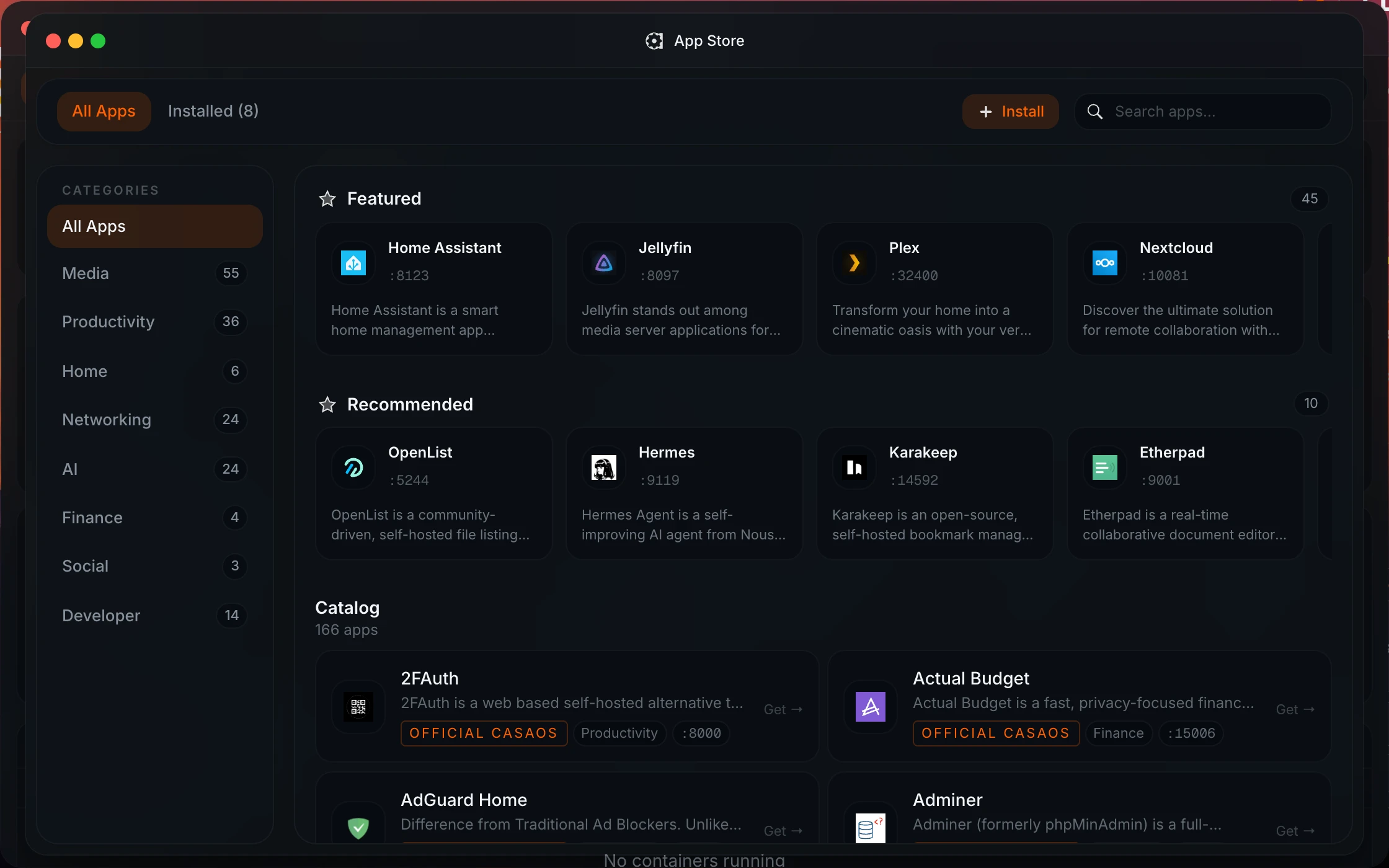
Homeio app store, where every app is a Docker Compose stack
⌘1Alternatives

YunoHost alternatives, by how they install apps.

YunoHost's strength is integration: one account for every app, SSO and email. Some alternatives keep that idea; others trade it for Docker's catalog.

  1. 01

    Homeio

    Open source (AGPL-3.0) · Debian, Ubuntu, Raspberry Pi OS or Docker

    Any app with a Docker image, from the store or as a compose file, on the Debian you already have. It also runs the host: disks, Samba, scheduled tasks, backups, a full terminal and Cloudflare Tunnel or Tailscale. One admin account, no SSO.

    Best for: One person running many apps, Docker-first.

  2. 02

    Cloudron

    Free for two apps, paid beyond · Ubuntu

    The closest to YunoHost's integration, built on Docker: single sign-on across apps, email, automatic updates and backups, from a curated catalog.

    Best for: A household or small team that wants SSO and email, and will pay for polish.

  3. 03

    FreedomBox

    Open source (AGPL-3.0) · Debian

    A Debian blend focused on privacy and running your own services, packaged by Debian itself. A smaller catalog than YunoHost, very low-maintenance.

    Best for: Privacy-first services on a small board.

  4. 04

    Cosmos

    Docker-based · runs on an existing Linux

    Docker apps behind a built-in reverse proxy, automatic HTTPS and an OpenID Connect provider with multi-factor login. The nearest Docker-based answer to YunoHost's SSO.

    Best for: Docker apps with single sign-on, exposed on your domain.

  5. 05

    Runtipi

    Open source (GPL-3.0) · install script on Linux

    A one-click Docker app store with a large catalog and little else, so it stays light.

    Best for: Many apps, minimal setup.

⌘2Differences

What changes if you switch.

  • 01Any Docker image or compose file runs, catalog or not.
  • 02New upstream versions arrive when the image does, not when a package is updated.
  • 03Installs on an existing Debian, Ubuntu or Raspberry Pi OS.
  • 04Host tools in the same desktop: files, disks, USB drives, Samba, metrics.
  • 05Cron-scheduled restarts, image pulls, scripts and backups.
  • 06Tailscale and Cloudflare Tunnel in Settings, and two-factor login.
⌘3Side by side

Job by job.

NeedIn Homeio
Run an app nobody packaged

Paste its compose file or docker run command. It installs like any catalog app.

YunoHost: package it yourself, or wait for one.

Accounts for the household

One admin account. Multi-user with roles is planned for 2.0.

YunoHost: users, groups and SSO across apps.

Host your own email

Not built in.

YunoHost ships a full mail stack.

Keep the OS you have

Installs on your current system, x86_64 or ARM64.

YunoHost recommends a fresh, dedicated Debian.

Debug a failing app

Live container logs with level badges and keyword filter; restart or redeploy from the desktop.

YunoHost: systemd services and their journal.

Recurring jobs

A cron scheduler for app restarts, image pulls, backups and scripts, with failure notifications.

Backups

Weekly archive of the database, /DATA and the compose stacks, restored from Settings.

YunoHost has per-app and system backups built in.

Reach it from outside

Tailscale for the dashboard, Cloudflare Tunnel to publish single apps on your domain.

YunoHost expects a domain and open ports, and manages certificates.

⌘4Walkthrough

Run your apps on your own domain without YunoHost.

YunoHost users usually want apps on a domain. With Homeio that goes through Cloudflare Tunnel, so there are no ports to open and no certificates to renew.

  1. 01

    On a Debian 12 machine, install Homeio.

    curl -fsSL https://get.homeio.app | sudo bash
  2. 02

    Install the apps you used on YunoHost from the store (Nextcloud, Vaultwarden, FreshRSS and so on). If you saved their data, copy it into /DATA/AppData/<app> before starting each one.

  3. 03

    In Settings → Integrations, connect Cloudflare with an API token for your domain. Then publish an app on a subdomain such as cloud.example.com: Homeio creates the DNS record and the tunnel rule.

  4. 04

    Check from outside your network. Cloudflare serves HTTPS, and your router has no open ports.

    curl -I https://cloud.example.com
⌘?FAQ

Questions people ask before switching.

How is Homeio different from YunoHost?

YunoHost installs apps as native Debian services from its own packaging scripts, with a shared user directory, single sign-on and an email server. Homeio runs every app as a Docker Compose stack and is built for one administrator. The practical question is whether you want the YunoHost ecosystem's integration or Docker's portability.

When is YunoHost the better choice?

When several people need accounts, when you want one login across apps, or when you want to host your own email. YunoHost does all three out of the box. Homeio has one account and no SSO, and it does not run a mail server.

Why would I pick Docker over YunoHost packages?

Coverage and speed. Any app with a Docker image can run in Homeio: paste its compose file or its docker run command. A new upstream version is available as soon as its image is published. On YunoHost, an app needs a package, and updates arrive when the package maintainer ships them. For popular apps that works well; for niche ones it can mean waiting or packaging it yourself.

Does YunoHost support Docker?

Not as its app model. YunoHost apps are native Debian packages written for YunoHost, integrated with its accounts, SSO and backups. You can install Docker next to it, but those containers live outside YunoHost's management. If most of the apps you want ship as Docker images, a Docker-based manager such as Homeio, Cosmos or Runtipi is the more natural fit.

Do I need a fresh install?

No. Homeio installs on an existing Debian, Ubuntu or Raspberry Pi OS system. YunoHost recommends a dedicated, fresh Debian because it configures Nginx, users, DNS and mail system-wide.

Does Homeio have single sign-on?

No. Each app keeps its own login. If you want SSO in front of your apps, Authelia or Authentik run fine as Compose apps; you wire them up yourself.

Does Homeio back up like YunoHost does?

Both have backups built in. Homeio archives its database, everything under /DATA and your compose stacks weekly, keeps the last seven, and restores from Settings. Like YunoHost's local archives, they sit on the same machine until you copy them elsewhere.

What does Homeio add for the host?

A desktop-style file manager with a Monaco editor, Samba shares and SMB mounts, USB drives, a partition manager, live CPU, memory, disk and network metrics, a cron scheduler, two-factor login, and Tailscale and Cloudflare Tunnel in Settings.

Is Homeio free?

Yes, and both use the same licence: Homeio and YunoHost are free software under the AGPL-3.0. Since 1.9.5, Homeio sends an anonymous ping twice a day, with public totals at homeio.app/stats; HOMEIO_TELEMETRY=false turns it off.

⌘5Next step

Try it next to what you run now.

The demo needs no install. On a spare machine or a VM, the Docker install takes a few minutes and listens on port 12026, so it does not fight your current setup for port 80.

⌘6Keep reading