Homeio
PortainerPortainervsHomeio
⌘KAlternative to Portainer

The best Portainer alternatives, from stacks to the whole server.

Portainer is a strong container console, built for more than one host and more than one person. On a single home server most of that goes unused, while the jobs that do come up, such as disks, backups, Samba and remote access, are outside its scope. Homeio covers those, and it runs happily next to Portainer if you want both.

Homeio
Homeio's restricted terminal and container tools on a single home server
⌘1Alternatives

Portainer alternatives, by how much they manage.

Portainer is a container console. The alternatives range from a terminal UI for one machine to tools that also look after the server around the containers.

  1. 01

    Homeio

    Open source (AGPL-3.0) · Debian, Ubuntu, Raspberry Pi OS or Docker

    Containers and stacks with logs, stats, a shell inside each container and an app store, plus the host jobs Portainer leaves out: disks, Samba shares, scheduled tasks, backups, a full server terminal and remote access.

    Best for: One home server, managed from one place.

  2. 02

    Dockge

    Open source (MIT) · one container

    From the author of Uptime Kuma: compose files in, running stacks out, with a clean editor, live output and a converter from docker run. Stacks stay plain folders you can edit by hand.

    Best for: People who think in compose files.

  3. 03

    Komodo

    Open source (GPL-3.0) · core plus agents

    Manages servers, stacks, builds and deployments across many hosts, with git-backed stacks and alerts. More to set up, and closer to Portainer's multi-environment scope.

    Best for: A homelab with several Docker hosts.

  4. 04

    Lazydocker

    Open source (MIT) · terminal app

    A fast terminal interface for containers, images, volumes and logs. Nothing to expose on the network: you run it over SSH, or from Homeio's terminal.

    Best for: Quick container work without a web UI.

  5. 05

    Dozzle

    Open source (MIT) · one container

    Does one thing: live container logs in the browser, with search and multi-host support. Often run next to another manager rather than instead of it.

    Best for: Reading logs without opening a shell.

  6. 06

    Cockpit

    Open source (LGPL-2.1) · Debian, Ubuntu, Fedora packages

    A server admin console with services, logs, storage, updates and a terminal. Its container page manages Podman, not Docker, so it suits Podman hosts best.

    Best for: Managing the Linux host, on a Podman setup.

⌘2Differences

What changes if you switch.

  • 01A catalog of home-server apps with settings and update checks, not only templates.
  • 02Files, Samba shares, USB drives and a partition manager next to the apps.
  • 03Scheduled restarts, image pulls, backups and scripts, with a notification on failure.
  • 04Weekly backups of the database, /DATA and your compose stacks, restored from Settings.
  • 05Tailscale and per-app Cloudflare Tunnel publishing in Settings, plus two-factor login.
  • 06Every container on the host visible, including Portainer's, without taking them over.
⌘3Side by side

Job by job.

NeedIn Homeio
Install an app

Pick it from the store, adjust ports, volumes and environment in the form, install. Or paste a compose file or a docker run command.

Portainer: App Templates, or write the stack yourself.

Read why a container died

Live logs with level badges, keyword filter and download, readable even when the app colours its output.

Portainer: logs, plus an interactive console inside the container.

Clean up images and volumes

Not yet. Planned as an image manager.

Portainer does this well.

Several hosts or users

One server, one account.

Portainer: environments via agents, and RBAC in Business Edition.

Files and storage

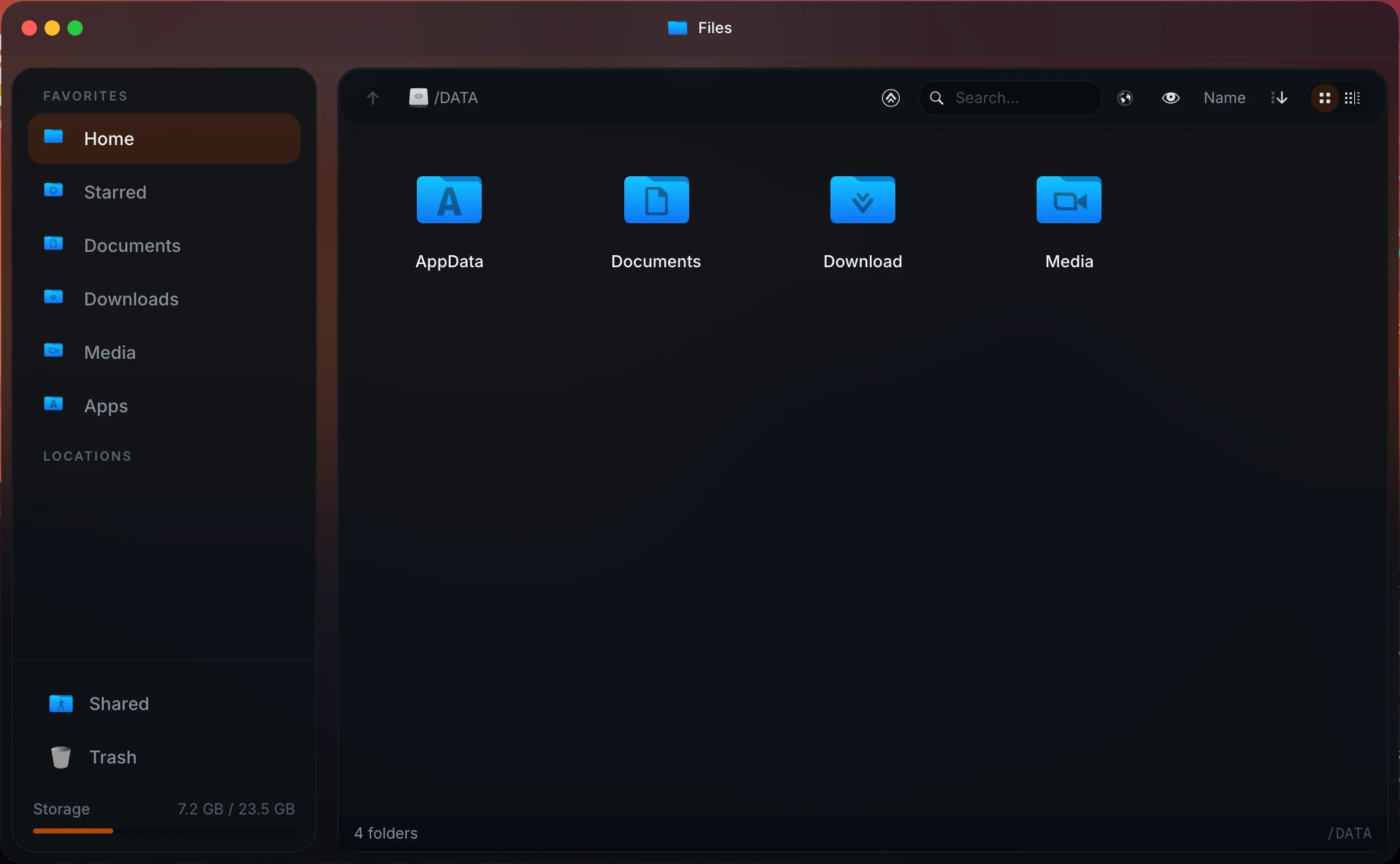
File manager with editor and previews, Samba shares, SMB mounts, USB drives, and partitioning and formatting in Settings.

Outside Portainer's scope.

Backups of the whole server

Database, /DATA and compose stacks in one archive, weekly, restored from the UI. Kept on the same disk, so copy it elsewhere.

Portainer backs up its own configuration, not your data.

Recurring jobs

A cron scheduler for app restarts, image pulls, backups and scripts, without editing the host crontab.

Reach it from outside

Tailscale for the dashboard, Cloudflare Tunnel for individual apps, both configured in Settings.

⌘4Walkthrough

Take your Portainer stacks with you.

Portainer keeps each stack as an ordinary compose file in its data volume. Copy them out once and they work anywhere.

  1. 01

    List the stacks Portainer created. Each numbered folder is one stack.

    sudo ls /var/lib/docker/volumes/portainer_data/_data/compose/
  2. 02

    Read a stack's compose file, and its .env file if it has one.

    sudo cat /var/lib/docker/volumes/portainer_data/_data/compose/3/docker-compose.yml
  3. 03

    Install Homeio. On a host already running Portainer it sits next to it; neither takes the other's ports.

    curl -fsSL https://get.homeio.app | sudo bash
  4. 04

    Stop the stack in Portainer, then paste the same compose file as a custom app in Homeio. Volumes and bind mounts are untouched, so the app starts with its data.

  5. 05

    Once every stack runs from Homeio, remove Portainer and its volume.

    docker rm -f portainer && docker volume rm portainer_data
⌘?FAQ

Questions people ask before switching.

Is Homeio a replacement for Portainer?

For one home server, often yes. Portainer is a container management console: environments, stacks, images, networks, volumes, access control. Homeio is a server manager: it installs and runs Compose apps, and it also handles the files, disks, backups, scheduled jobs and remote access around them. If you use Portainer mainly to install and restart a handful of apps, Homeio covers that and the rest of the box.

What does Portainer do better?

Quite a lot, for container work. It manages several hosts, Swarm, Kubernetes and Podman; it opens an interactive console inside a container; it lets you inspect and prune images, networks and volumes; it deploys stacks from a Git repository; and its Business Edition has role-based access. Homeio does none of that today. An image manager is on Homeio's roadmap.

What is the best open source Portainer alternative?

It depends on how much you want managed. For compose stacks only, Dockge (MIT) is the simplest. For several servers with builds and deployments, Komodo (GPL-3.0). For a single home server where you also want files, disks, backups and remote access, Homeio (AGPL-3.0). Portainer CE itself is open source too, under the zlib licence; the features people miss are in the paid Business Edition.

Can I run Homeio and Portainer on the same server?

Yes, and some people should. Homeio lists every container on the host, including the ones Portainer deployed, with live stats; it shows them read-only and leaves them alone. Use Homeio for the apps, files and the host, and keep Portainer for container-level inspection.

Does Portainer have an app store?

It has App Templates, a list of predefined containers and stacks you can deploy and extend with your own template URL. Homeio's store is closer to a home-server catalog: the CasaOS app store by default, with icons, descriptions, per-app settings and update checks, and you can add more sources.

What does Homeio do that Portainer does not try to do?

The host. A file manager with a Monaco editor, Samba shares, USB drives, a disk and partition manager, Wi-Fi settings, a cron scheduler, weekly backups of the database, /DATA and your stacks, two-factor login, and Tailscale and Cloudflare Tunnel in Settings.

Does Homeio show container logs and stats?

Yes. Logs stream live with level badges, a keyword filter and a download button; since 1.9.2 ANSI colour codes are stripped, so coloured output is readable and warnings are labelled as warnings. Stats cover CPU, memory, disk and network for the host and each container.

Does Homeio have a terminal?

Yes. Since 1.10.2 it opens a full login shell on the server in the browser, root on a script install, and Open in Terminal on an app opens a shell inside its container, like Portainer's container console. In the Docker image it still runs one command at a time from an allow list.

Is Homeio free?

Yes, it is open source under the AGPL-3.0, and everything on this page is in the one edition there is. Portainer Community Edition is free and open source too; Business Edition is paid, with a free tier for a small number of nodes.

How do I install Homeio?

curl -fsSL https://get.homeio.app | sudo bash on Debian, Ubuntu or Raspberry Pi OS (UI on port 80), or docker compose up -d from a clone of the repository (UI on 12026). Neither touches the containers Portainer manages.

⌘5Next step

Try it next to what you run now.

The demo needs no install. On a spare machine or a VM, the Docker install takes a few minutes and listens on port 12026, so it does not fight your current setup for port 80.

⌘6Keep reading