
Pick by the job, not the feature list
Every "best home server OS" list ends up comparing things that do different jobs. TrueNAS and Umbrel both have an app store, but one is built to protect twenty terabytes of data and the other is built to make installing Nextcloud a single click. Decide which of these four kinds you want first, and the choice between products gets short.
- A NAS operating system, when the box exists mainly to store files and serve them to the network: TrueNAS, Unraid, OpenMediaVault, and ZimaOS to a degree.
- A hypervisor, when you want virtual machines and to try other operating systems on the same hardware: Proxmox VE.
- An app-platform OS that replaces whatever is on the disk and gives you an app store: umbrelOS, ZimaOS, YunoHost.
- A dashboard that installs on the Debian, Ubuntu or Raspberry Pi OS you already run, and manages Docker apps on top of it: CasaOS, Cosmos, Runtipi, Homeio.
There is a fifth option that every list should mention: plain Debian or Ubuntu Server with Docker and no dashboard at all. It is what most of the tools above are built on, and our Docker home server guide walks through it step by step.
The options side by side
| Option | What it is | Runs on | Price | Best for |
|---|---|---|---|---|
| TrueNAS Community Edition | ZFS storage OS with Docker apps | x86-64, replaces the OS | Free, open source | Data safety on matched drives |
| Unraid | NAS OS with a mixed-drive parity array, Docker and VMs | x86-64, replaces the OS | $49 to $249, one-time | Growing storage one drive at a time |
| OpenMediaVault | Lightweight NAS on Debian | x86-64 and arm64, ISO or on Debian | Free, open source | Low-power NAS, Raspberry Pi |
| Proxmox VE | Hypervisor for VMs and LXC containers | x86-64 and arm64, replaces the OS | Free, optional support subscription | Several systems on one box |
| umbrelOS | App-store OS | x86-64, Raspberry Pi 5, VM; replaces the OS | Free for personal use | The easiest first home server |
| ZimaOS | NAS and app-store OS | x86-64 only, replaces the OS | Free up to 4 disks and 3 users; Plus is $29 | Simple NAS with apps |
| YunoHost | Self-hosting OS with SSO and email | Takes over a fresh Debian | Free, open source | Services for a family or club |
| CasaOS | App dashboard | On Debian, Ubuntu, Pi OS | Free, open source | Existing installs; no release since Dec 2024 |
| Cosmos | App manager with reverse proxy and SSO | Docker on existing Linux | Free, Commons Clause licence | Exposing apps to the internet safely |
| Runtipi | App store manager | On existing Linux | Free, open source | One-click apps with a built-in proxy |
| Homeio | Desktop-style server dashboard | On Debian, Ubuntu, Pi OS | Free, open source (MIT) | Apps plus files, disks, backups, scheduling |
| Debian or Ubuntu + Docker | The DIY baseline | Anything | Free | Full control, learning the stack |
Prices and licence terms were checked in September 2026. Vendors change them, so confirm on each project's own site before you buy hardware around one.
NAS-first: TrueNAS, Unraid, OpenMediaVault
TrueNAS Community Edition (the product formerly split into CORE and SCALE) is Debian-based and built around ZFS. ZFS checksums everything it stores, repairs silent corruption from a redundant copy, and takes near-instant snapshots, which is why people who care most about their data end up here. Apps have run on Docker since the 24.10 release, and you can paste your own Compose YAML when an app is not in the catalogue. The trade-offs: ZFS pools like drives of the same size, the OS takes the whole boot disk, it wants a fair amount of RAM, and it runs on x86-64 only.
Unraid is the answer to "I have four drives of four different sizes". Its array protects any mix of drives with one or two parity disks, and you add a drive whenever you like. It runs Docker apps through the Community Applications store and full virtual machines, all from a polished web UI. It is the only paid option here: a one-time licence from $49 for up to six storage devices to $249 for lifetime updates on unlimited drives, with the cheaper tiers including a year of updates. Also x86-64 only.
OpenMediaVault is the light one. It is Debian with a web interface for shares (SMB, NFS), users, disks and RAID, and it runs happily on a Raspberry Pi as well as on x86. Version 8 moved to Debian 13 and supports amd64 and arm64. Docker comes through the omv-extras Compose plugin rather than a curated app store, so you will write or paste Compose files yourself. If you want a quiet NAS on low-power hardware and are comfortable with Compose, it is hard to beat for the price of zero.
Our TrueNAS comparison covers when a storage OS is the wrong tool: if the box exists to run apps rather than to hold data, you are paying for ZFS discipline you may not need.
Hypervisor: Proxmox VE
Proxmox VE is not an app platform; it is a platform for running other platforms. It installs as the host OS, based on Debian 13 since version 9 and available for arm64 as well as x86-64 since August 2026, and gives you a web UI for KVM virtual machines and LXC containers, plus ZFS, backups of whole VMs, and clustering if you ever buy a second box. It is free and open source; the paid subscription buys access to the enterprise update repository and support.
Proxmox has no app store of its own. The common homelab pattern is Proxmox on the metal, then one VM running Debian with Docker for apps, another for Home Assistant OS, and perhaps a TrueNAS VM with the disk controller passed through. That flexibility is the point, and also the cost: you are now maintaining several systems instead of one. If you only want apps, skip it and come back when you want a second operating system on the same hardware.
App-platform OSes: umbrelOS, ZimaOS, YunoHost
These replace whatever is on the disk and hand you a finished system: flash an image or boot an installer, open a browser, install apps.
umbrelOS is the most polished of the three and has the largest app store, over 300 apps. It started as a Bitcoin node and still has the deepest set of Bitcoin and Lightning apps, but today it is a general home server. It installs on most 64-bit Intel and AMD machines, a Raspberry Pi 5 (boot from NVMe or USB, not a microSD card), or a virtual machine, and it is the same OS that ships on Umbrel's own hardware. umbrelOS 2.0 was released in September 2026. Two things to know: it cannot be installed on top of an existing Linux system, and its licence is PolyForm Noncommercial, so it is free for personal use but not open source in the OSI sense.
ZimaOS comes from IceWhale, the company behind CasaOS, and is where their development now goes. It keeps the CasaOS look and adds NAS features: RAID, storage pools, backups. It supports x86-64 machines with UEFI. The free edition is limited to four disks and three users; ZimaOS Plus removes both limits for a one-time $29, and it is included with IceWhale's own ZimaBoard and ZimaCube hardware.
YunoHost is different in spirit. It installs onto a fresh Debian, packages apps natively rather than as containers, and puts every app behind one login with a user portal. It also sets up a mail server and handles domains and certificates. That makes it the best fit here for hosting services for several people, such as a family or an association, and the weakest fit if you want to run arbitrary Docker images. See our YunoHost comparison for the details of that trade-off.
If you are deciding between these and the dashboards below, our Umbrel and ZimaOS pages go through the differences one by one.
Dashboards on the Linux you already run
These install with a script or a container on Debian, Ubuntu or Raspberry Pi OS. You keep the operating system, its package manager and SSH; the dashboard manages Docker apps on top. If you uninstall it, the apps are still ordinary containers.
CasaOS made this category popular: a friendly home screen, an app store, and a file browser, installed with one command. It still works, and its app store repository is still updated, but the project itself has not tagged a release since v0.4.15 in December 2024 while IceWhale focuses on ZimaOS. It is fine for what it does today. Think twice before building a new server around it. Our CasaOS alternative page covers what moving away involves.
Cosmos is built around security. It runs as a Docker container and puts a reverse proxy with automatic HTTPS in front of your apps, with its own single sign-on (OpenID Connect), multi-factor login, several user accounts, anti-bot and anti-DDoS protection, and Constellation, a peer-to-peer VPN built on Nebula. It also has an app store, restic-based backups, disk pooling with parity, monitoring with alerts and a cron scheduler; what it lacks is a file manager. If you plan to expose apps to the internet, it does more of that work for you than anything else here. Its licence is Apache 2.0 with the Commons Clause: free to use and modify, but not to sell, and a paid Pro tier covers businesses running several servers. Our Cosmos comparison goes into detail.
Runtipi installs with one command and gives you an app store of a few hundred apps, each deployed as a Docker Compose project, with Traefik set up in front of them. You can add your own app stores from Git repositories. It is GPL-3.0 licensed and focused on app installs rather than on managing the host.
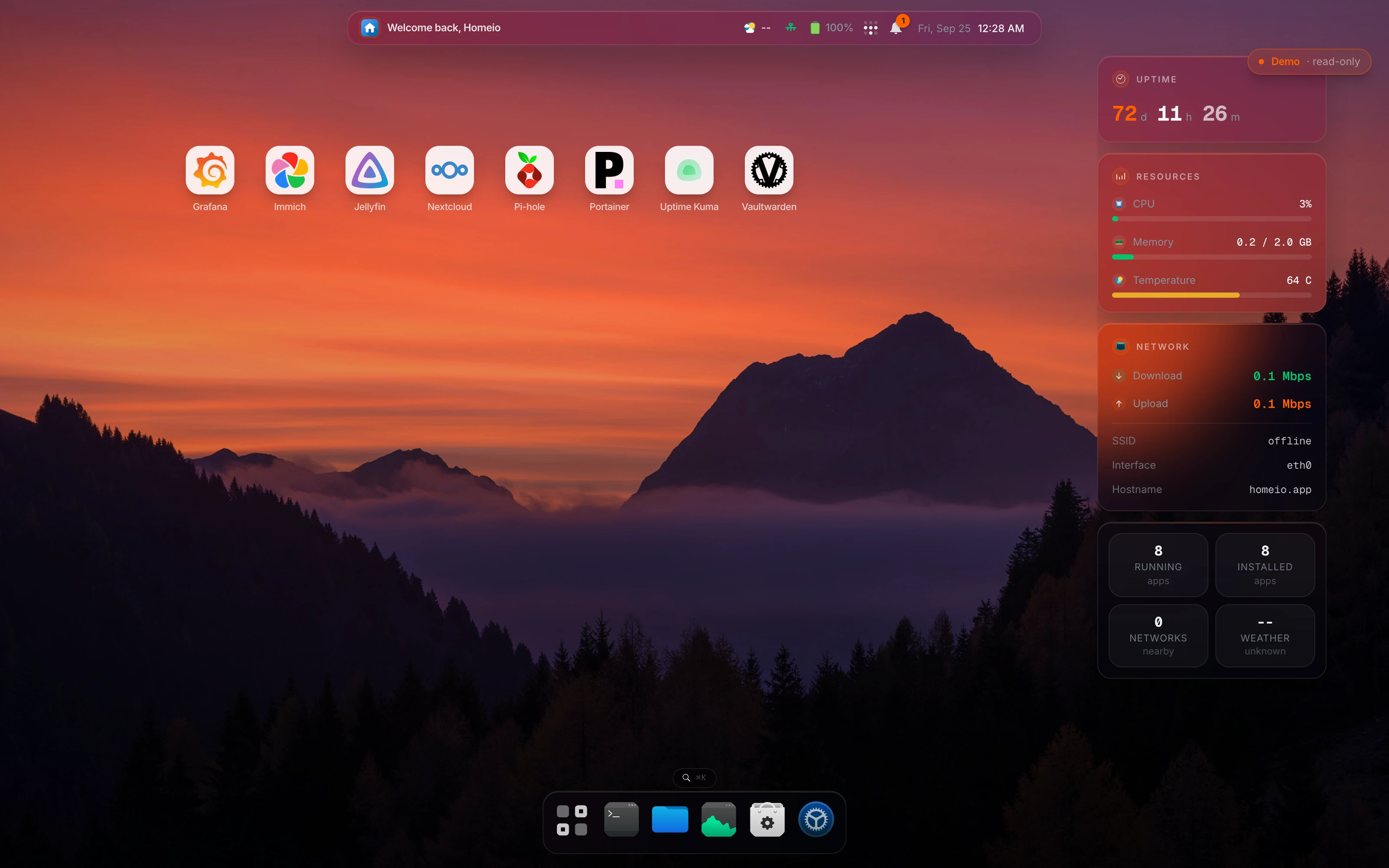
Homeio, the project this site is about, is in this group. It gives the server a desktop-style interface in the browser: the CasaOS app store as its default catalogue, a file manager with USB drives and Samba shares, disk partitioning and formatting, a cron scheduler, weekly backups, two-factor login, and Tailscale and Cloudflare Tunnel in Settings. It is MIT licensed. The limits are real too: one user account for now, a terminal that runs allowlisted commands rather than a full shell, and a heavier install than CasaOS because it runs PostgreSQL. A 1 GB board is tight; a Pi 4 or an N100 mini PC is fine.
Plain Debian or Ubuntu with Docker
Every app platform above is, underneath, Linux running containers. Doing it yourself means installing Debian stable or Ubuntu Server LTS, adding Docker, and keeping one folder per app with its Compose file. You get full control, every tutorial on the internet applies to your setup, and nothing between you and Docker can break or be abandoned.
The cost is that updates, backups, logs and disk space are your job, from the command line. Many people start here to learn, then add a dashboard for the daily work. Our guides on setting up a Docker home server and managing Docker containers cover this route.
Which one should you choose?
- You have mismatched drives and mostly store media: Unraid.
- Your data is irreplaceable and you can buy matching drives: TrueNAS Community Edition.
- You want a NAS on a Raspberry Pi or other low-power board: OpenMediaVault.
- You want virtual machines, or Home Assistant OS next to your apps: Proxmox VE, with Docker inside a VM.
- It is your first server and you want the smoothest start on a spare PC or a Pi 5: umbrelOS.
- You are hosting accounts and email for several people: YunoHost.
- You already run Debian or Ubuntu and want a UI for apps without reinstalling: Homeio, Runtipi or Cosmos, depending on whether host management, simple installs or internet exposure matters most.
- You want to learn how it all works: plain Debian with Docker, then add a dashboard later if you want one.
On hardware: TrueNAS, Unraid and ZimaOS are x86-64 only, and Proxmox's arm64 build is aimed at Arm servers more than at hobby boards. On a Raspberry Pi, the realistic choices are umbrelOS (Pi 5), OpenMediaVault, YunoHost, or a dashboard on Raspberry Pi OS. An Intel N100 mini PC with 16 GB of RAM runs any option on this page and is a popular starting point. Our beginner setup guide has more on hardware.
You can combine them
The categories stack. Common setups include Proxmox on the host with a Debian VM running Docker and a dashboard; OpenMediaVault handling shares while its Compose plugin runs apps; and TrueNAS storing data while a separate small machine runs the apps against its shares. The one thing that does not stack is two OSes that each want the whole disk. umbrelOS, ZimaOS, TrueNAS, Unraid and Proxmox all do, so pick one of those per machine or VM.