
Homeio 1.11: the weather for the whole server, and a 24-hour clock
1.11 is a release built from your issues. The weather no longer depends on each browser sharing its location, the clock can read 24-hour, and Settings gets an About page. On Docker, apps that refused to install work again.
Thanks to the contributors who made it: @zahornyak for the clock and the time zone, @ikhsanddy for the network fix, the CI job and the docs, @j3ich0 for the weather idea and @mihaiaka for the network report.
- Current release
- v1.11.2
- Released
- 2026-11-08
- Licence
- AGPL-3.0
Set it once, see it everywhere.
Preferences that used to live in one browser are now saved on the server, so your phone, your laptop and the TV in the living room agree.
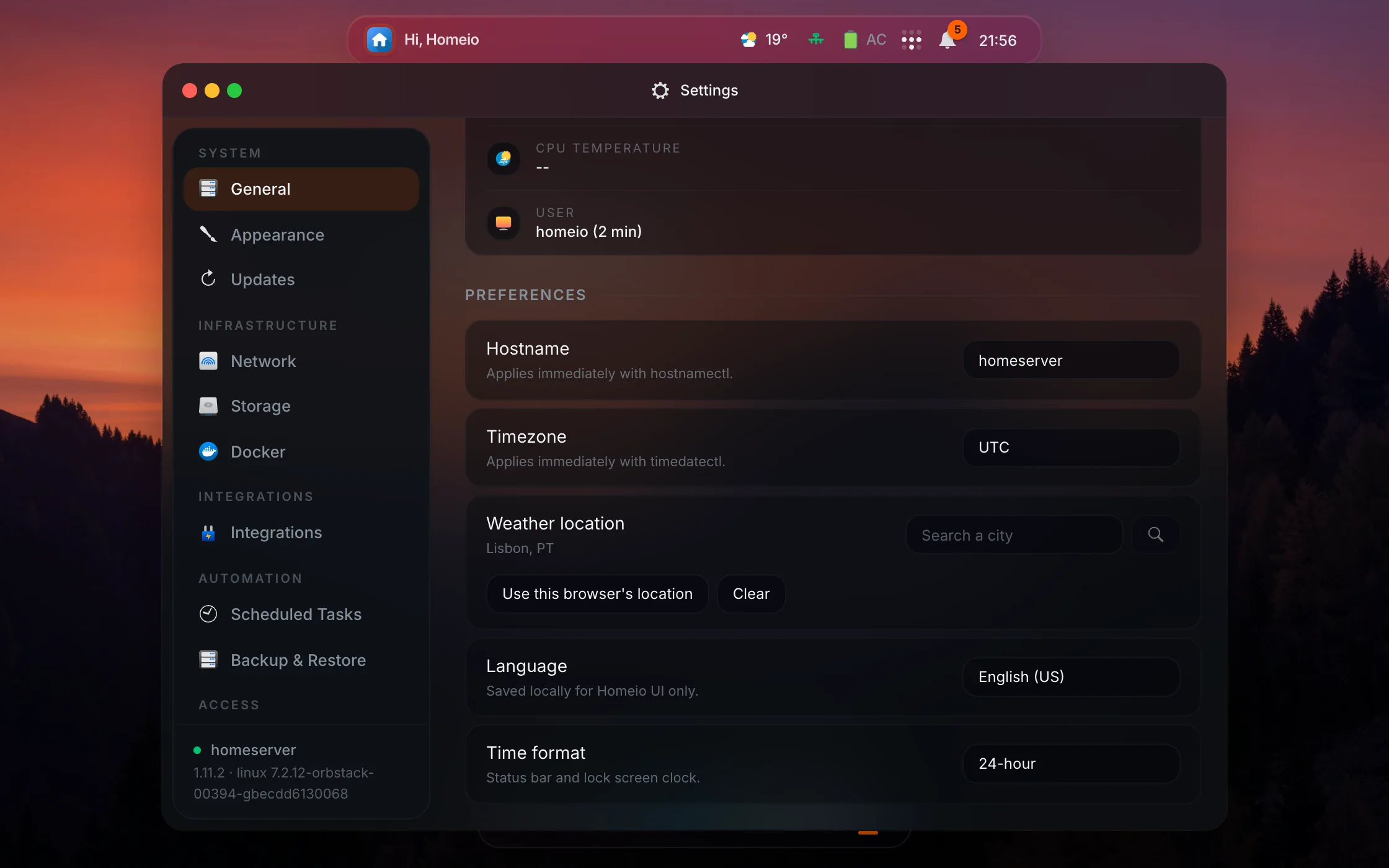
Weather without the browser's location
Settings → General has a Weather location: search a city, or take this browser's position once. It is saved on the server, so every device shows the same weather without a permission prompt, also over Tailscale or a plain LAN address where browsers refuse geolocation.
A 24-hour clock
Time format switches the status bar and lock screen clocks between 12-hour and 24-hour. The default follows your language, and the clocks change at once, without a reload. Europe/Kyiv joins the time zone list.
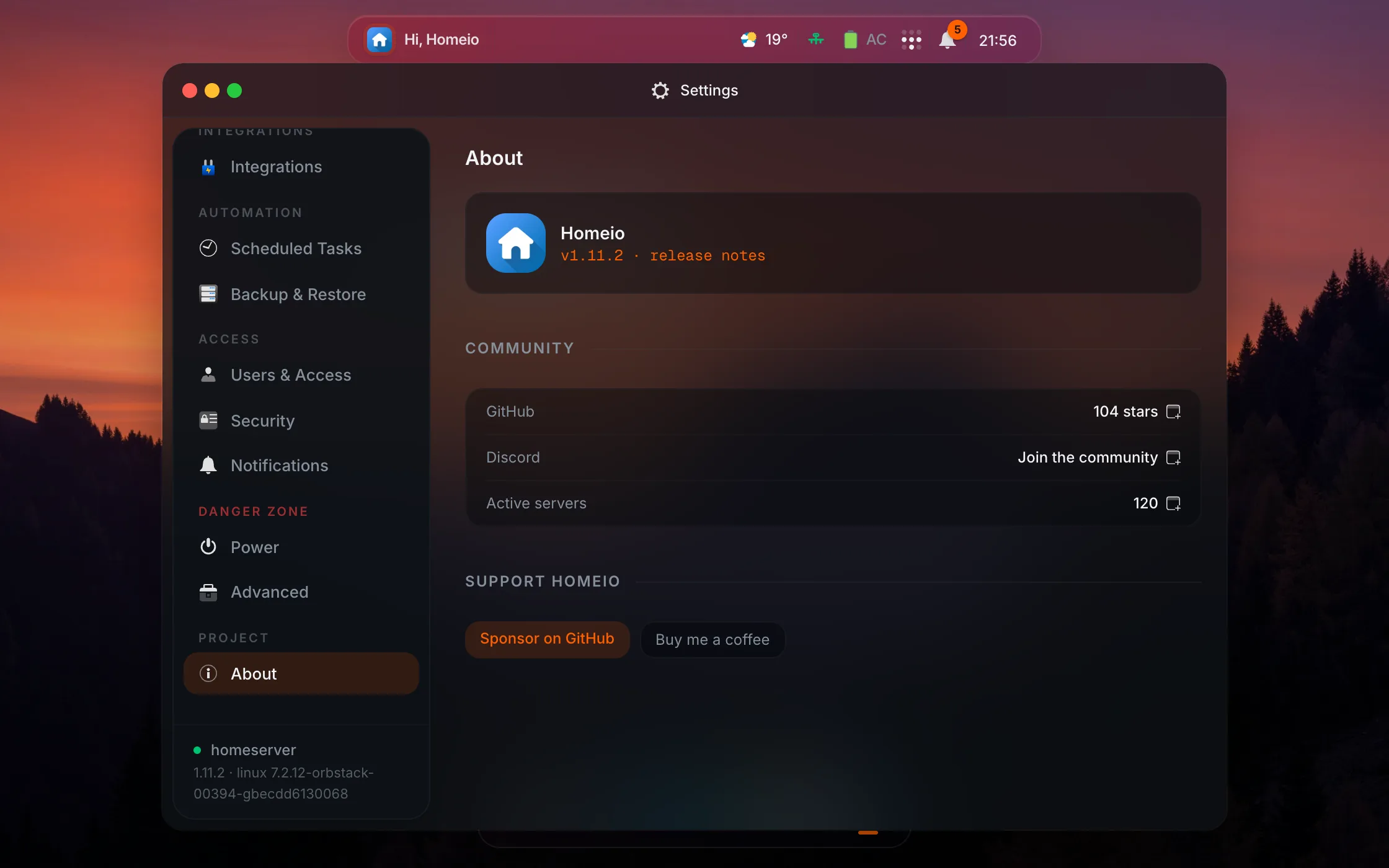
Settings → About
A new page with the installed version and its release notes, the GitHub stars, the number of active Homeio servers and links to sponsor the project. The stars and the server count are fetched by your browser only while the page is open.
Your version, and the people behind it.
Settings → About shows what you are running and where the community lives. Homeio now has a Discord server for help, app configs and ideas.
Docker installs, network readouts and security.
The fixes in 1.11 mostly concern servers running Homeio in Docker, and anyone who saw odd network numbers in the status bar.
Apps install again on Docker
On the Docker install, apps whose data folder must belong to their own user (Uptime Kuma, Jellyfin, n8n, Grafana, the linuxserver images) stopped with a chown error. Homeio now runs as root inside its container, like the script install, and app data lands in the mounted /DATA.
Network readouts you can trust
A wired server with an idle Wi-Fi radio used to show wlan0 offline with zero rates. The status bar now reports the wired link, and tunnels such as tailscale0 or wg0 show as Up instead of Unknown.
Security updates
Next.js 16.4.3 closes a remote code execution issue and a denial of service, along with updates to ip-address, vite, postcss, esbuild and vitest.
What comes after 1.11.
Work has moved to Homeio 2.0: a new desktop, an MCP server so AI assistants can manage your apps and your server, and a native Android app. The roadmap has the details.
How to update.
Update now in Settings → Updates installs 1.11.2. You can also run the command for your install below.
curl -fsSL https://raw.githubusercontent.com/doctor-io/homeio/main/scripts/update.sh | sudo bashdocker compose pull && docker compose up -dQuestions about 1.11.
How do I update to Homeio 1.11?
From the desktop: Settings → Updates → Update now. Script installs can also run the update command on this page. Docker installs: docker compose pull && docker compose up -d. Accounts, apps and settings are kept.
Do I have to set a weather location?
No. With no location set, each browser asks for its own location, as before. Setting one in Settings → General is useful when you open Homeio over Tailscale or a LAN address, where browsers refuse to share your position.
I installed apps on Docker before 1.11. Is their data moved?
No. Apps installed before keep their data where it already is. New installs put their data in the mounted /DATA folder, where you can see it in Files.
Where can I ask questions about Homeio?
On the Homeio Discord at discord.gg/KFzTbRbex3, for help, app configs and ideas, or in GitHub issues for bugs and feature requests.